

- About Us
- PRODUCTS
- SUPPORT
- Knowledge
- LANGUAGE
 English-US
 Chinese Traditional
 Japanese
 Korean
 Russian
 German
 French
 Chinese Simplified
 Spanish
 Italian
SR4-BA32
SR4-BA32: High-Performance 4-Bay Hardware RAID Storage for Fast, Protected Workflows
USB 20Gbps Connectivity | RAID 5 | USB-C to USB-C and USB-C to USB-A Cables | 150W Power Supply
SR4-BA32: High-Performance 4-Bay Hardware RAID Storage for Fast, Protected Workflows
USB 20Gbps Connectivity | RAID 5 | USB-C to USB-C and USB-C to USB-A Cables | 150W Power Supply
Overview
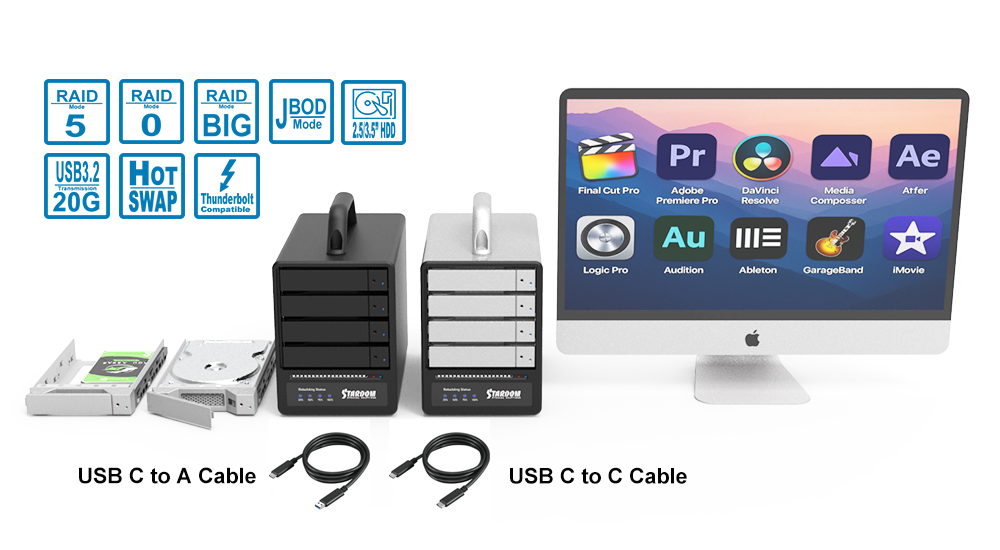
Built for professionals who need more speed, capacity, and protection than single-drive storage can offer, the SR4-BA32 delivers high-performance local storage in a compact 4-bay hardware RAID enclosure. With USB 3.2 Gen 2x2 performance up to 20Gbps, RAID 5 protection, and broad compatibility with both USB-C and USB-A hosts, it is an ideal solution for backup, creative production, and other data-intensive workflows.
Designed for dependable day-to-day operation, the SR4-BA32 combines hot-swappable lockable drive trays, a 150W internal power supply, front-panel status indicators, audible alerts, and active cooling in a durable aluminum chassis. It also supports mobile workflows with compatible USB-C iPhone and iPad models, making it easy to access, transfer, and manage files on the go using the Files app, EASY DATA VAULT for iOS, and other supported apps. AC power is required during mobile use.
Features
1. High-Speed USB Connectivity
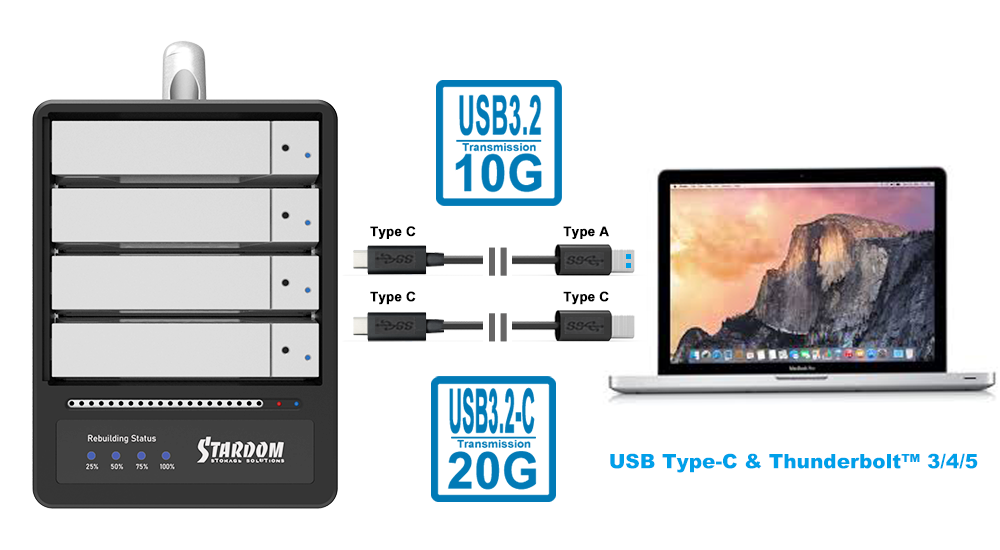
● Up to 20Gbps Performance: Supports high-bandwidth transfers for large files and demanding storage workflows.
● Broad Host Compatibility: Connects to modern USB-C systems and legacy USB-A hosts with the included cables.
● Thunderbolt Computer Compatibility: Compatible with Thunderbolt™ 3/4/5 computers through USB-C as a USB storage device.
2. Dedicated Hardware RAID Protection
● Built-In RAID Engine: Handles RAID processing in hardware to reduce dependence on host CPU resources.
● Flexible RAID Modes: Supports RAID 0, RAID 5, JBOD, and BIG for performance, protection, or expanded capacity.
● Single-Drive Fault Tolerance: In RAID 5 mode, data remains accessible after one drive fails.
● Automatic Rebuild: Begins rebuilding automatically after a compatible replacement drive is hot-swapped in.

3. Professional Hardware Design
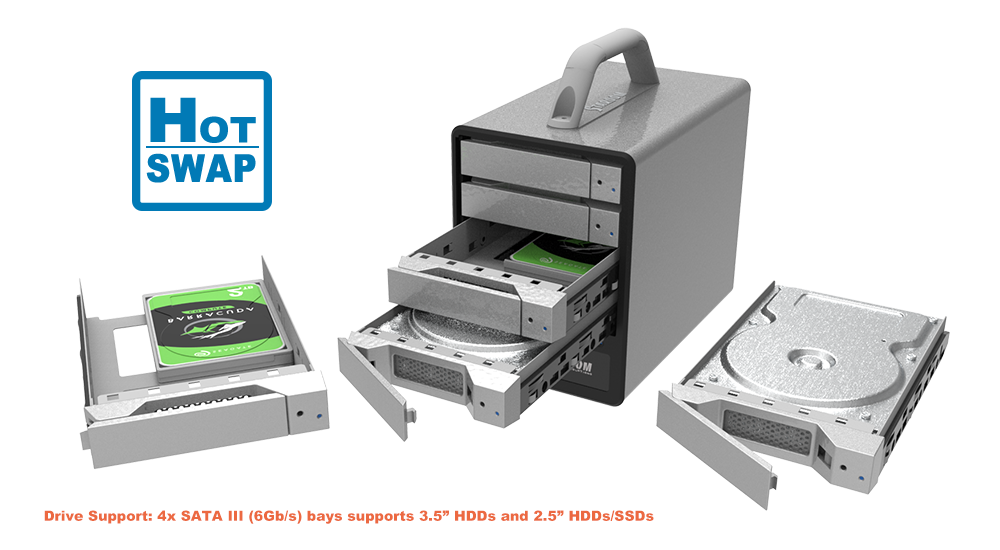
● Versatile Drive Support: Accommodates 4 x 3.5-inch or 2.5-inch SATA III 6Gb/s HDDs or SSDs.
● Hot-Swappable Lockable Trays: Make drive replacement simple while improving physical drive security.
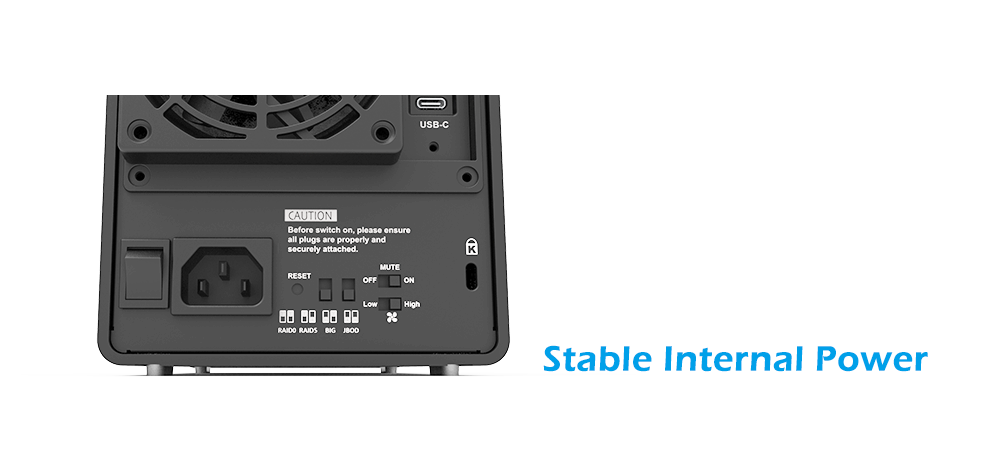
● Stable Internal Power: Built-in 150W power supply supports sustained professional workloads.
● Durable Aluminum Chassis: Helps support cooling, stability, and long-term reliability.
4. Clear Monitoring and Active Cooling
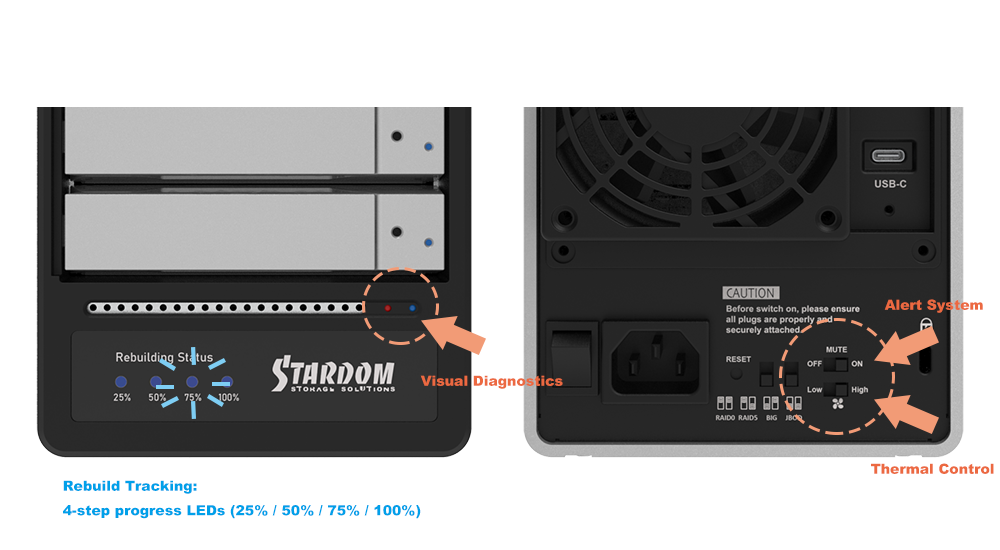
● Instant Status Visibility: Front-panel LEDs display power, drive activity, drive failure, rebuild progress, and overheat/fan alerts.
● Step-by-Step Rebuild Indicators: Rebuild progress is shown at 25% / 50% / 75% / 100%.
● Integrated Audible Alerts: Built-in buzzer includes a physical Mute ON/OFF switch.
● Adjustable Cooling Control: Rear 80mm fan includes a High/Low speed switch to balance airflow and noise.
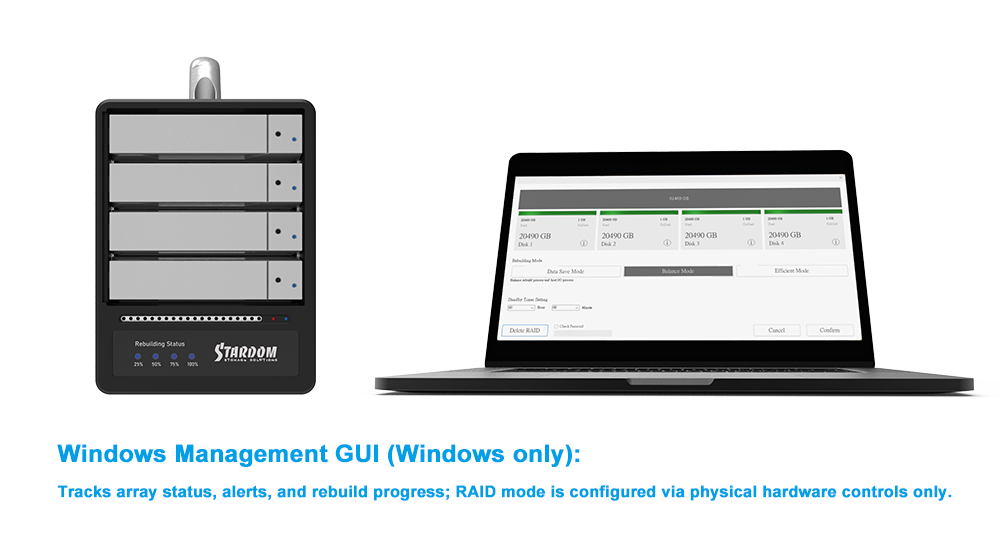
● Optional Windows GUI: Available for status monitoring and alert management.
5. Cross-Platform and Mobile Workflow Support
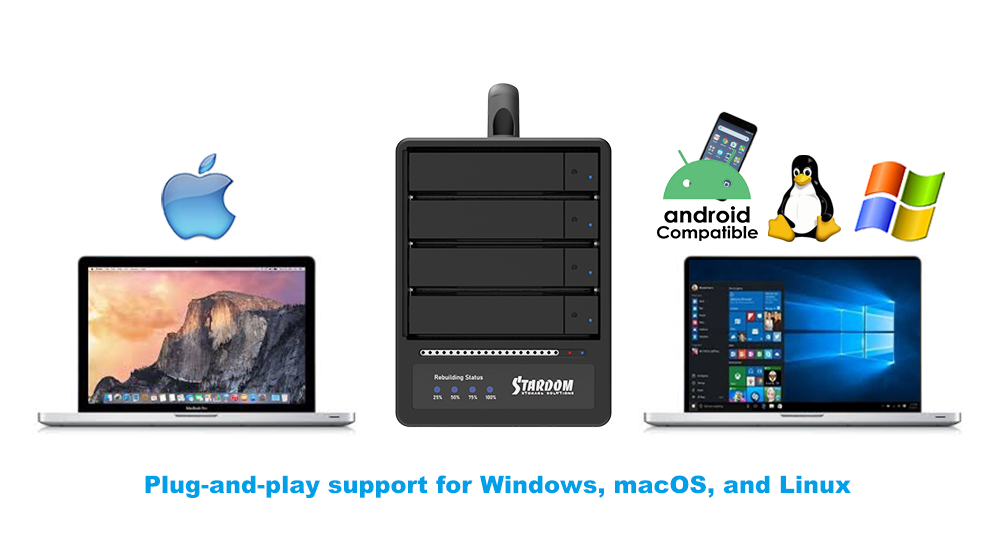
● Multi-OS Compatibility: Plug-and-play support for Windows, macOS, and Linux.
● Flexible Deployment: Fits creative, business, lab, archive, and backup environments.
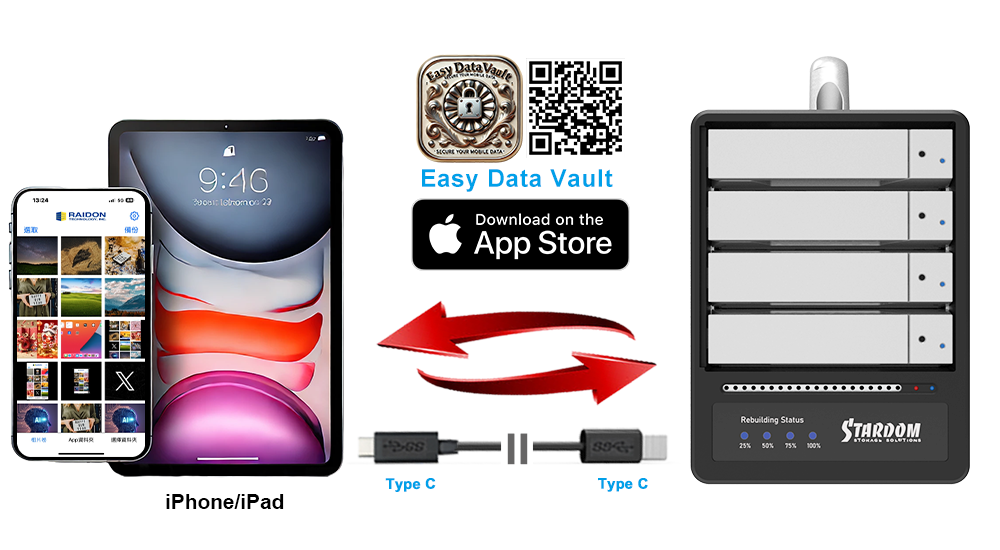
● Mobile File Access: Use your compatible iPad or iPhone as a mobile workstation. Access, transfer, and manage files on the go with the included USB-C to USB-C cable, the Files app, EASY DATA VAULT for iOS, and other supported apps. AC power is required during mobile use.
Buying Guide and Comparison Checklist
|
Feature |
Why It Matters |
Buying Tip |
|---|---|---|
|
USB 20Gbps Connectivity |
Supports high-bandwidth transfer for large files and fast RAID performance |
Confirm your host supports USB 3.2 Gen 2x2 to achieve maximum speed |
|
Hardware RAID Support |
RAID 5 adds protection, while RAID 0, JBOD, and BIG provide flexibility |
Choose RAID 5 for protection or JBOD/BIG for flexible capacity use |
|
Hot-Swappable Lockable Bays |
Allows drive replacement without shutting down the enclosure |
Ideal for workflows where uptime matters |
|
Active Cooling |
Helps maintain stable temperatures during heavy workloads |
Adjustable fan control helps balance cooling and noise |
|
Cross-Platform Compatibility |
Simplifies deployment across mixed environments |
Useful for teams using Windows, macOS, Linux, and supported USB-C mobile devices |
Applications
1. Creative Studio Backup & Archive
Store large photo libraries, video projects, and production assets in a protected RAID 5 environment for fast local access and organized retention.
2. Departmental Local File Storage
Provide teams with dependable local storage for records, design assets, reports, and shared project data without the complexity of network storage.
3. Research & Lab Data Protection
Safeguard experiment data, instrument exports, and long-term project files in a high-capacity RAID system with single-drive fault tolerance.
4. Legacy Workstation Expansion
Add professional-grade external RAID storage to older desktop systems that still rely on USB-A connectivity.
5. Scheduled Backup Target
Use the SR4-BA32 as a high-capacity backup destination for Windows, macOS, or Linux systems that have outgrown single-drive external storage.
6. Surveillance Footage Archive
Create organized local storage for offloaded surveillance footage and other large sequential data sets requiring dependable retention.
7. Hybrid Cloud Backup Target
Use the SR4-BA32 as high-capacity local storage for data synchronized or restored from cloud platforms through a connected host system.
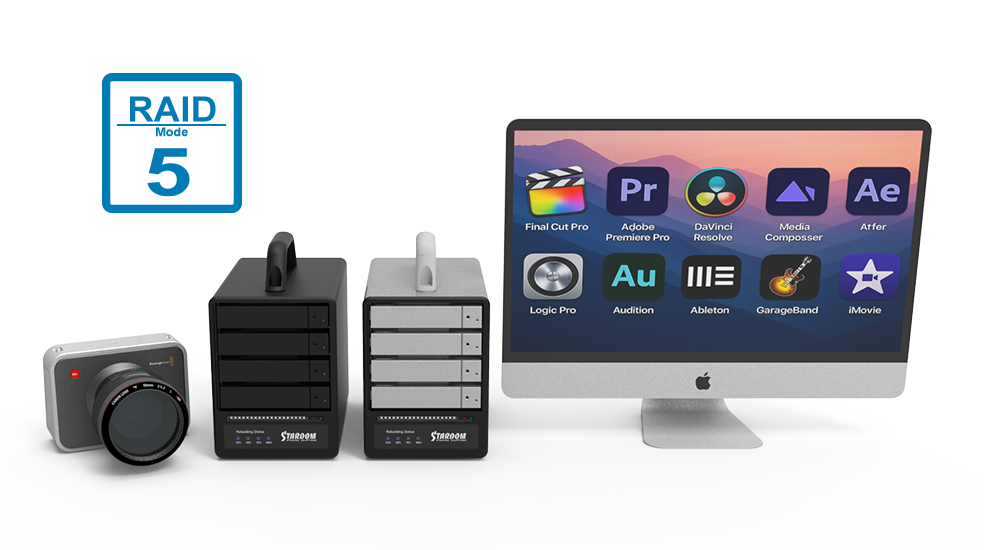
Comparison: SR4-B32 vs. SR4-BA32
|
Feature |
SR4-B32 |
SR4-BA32 |
|---|---|---|
|
Product Focus |
High-bandwidth USB-C workflows |
Broad compatibility for both USB-C and USB-A hosts |
|
Included Cables |
USB-C to USB-C |
USB-C to USB-C and USB-C to USB-A |
|
Typical Maximum Host Link Rate |
Up to 20Gbps with compatible USB-C Gen 2x2 hosts |
Up to 20Gbps with compatible USB-C Gen 2x2 hosts; up to 10Gbps with compatible USB-A Gen 2 hosts |
|
Mobile Workflow Support |
Yes, with the USB-C to USB-C cable |
Yes, with the USB-C to USB-C cable |
Frequently Asked Questions (FAQ)
Q1: How is the SR4-BA32 different from the SR4-B32?
A: The SR4-BA32 includes both USB-C to USB-C and USB-C to USB-A cables, making it suitable for both modern and legacy host systems. The SR4-B32 is focused on USB-C-only connectivity.
Q2: Which RAID modes does the SR4-BA32 support?
A: The SR4-BA32 supports RAID 0, RAID 5, JBOD, and BIG.
Q3: What happens if a drive fails in RAID 5 mode?
A: The array enters a degraded state, but data remains accessible. After a compatible replacement drive is installed, the system automatically begins rebuilding the array.
Q4: Does the SR4-BA32 support hot-swapping?
A: Yes. Its lockable drive trays are hot-swappable, allowing drive replacement without powering down the enclosure.
Q5: How do I monitor system status?
A: System status is shown through front-panel LEDs and an audible buzzer alarm. Windows users can also use the optional GUI for monitoring and alerts.
Q6: Does the SR4-BA32 work with Thunderbolt™ 3/4/5 computers?
A: Yes. It can connect to Thunderbolt™ 3/4/5 computers through their USB-C ports and operates as a USB storage device.
Q7: What is the maximum transfer speed?
A: The SR4-BA32 supports USB 3.2 Gen 2x2 with host link rates up to 20Gbps. Actual performance depends on the host, cable, drive configuration, and negotiated USB speed.
Q8: Is the fan adjustable?
A: Yes. The rear 80mm cooling fan includes a High/Low speed switch for balancing cooling performance and noise.
Q9: Does it support iPhone and iPad workflows?
A: Yes. The SR4-BA32 works with compatible USB-C iPhone and iPad models. Users can access and transfer files through the Files app, EASY DATA VAULT for iOS, and other supported apps when connected with the included USB-C to USB-C cable. AC power is required during mobile workflows.
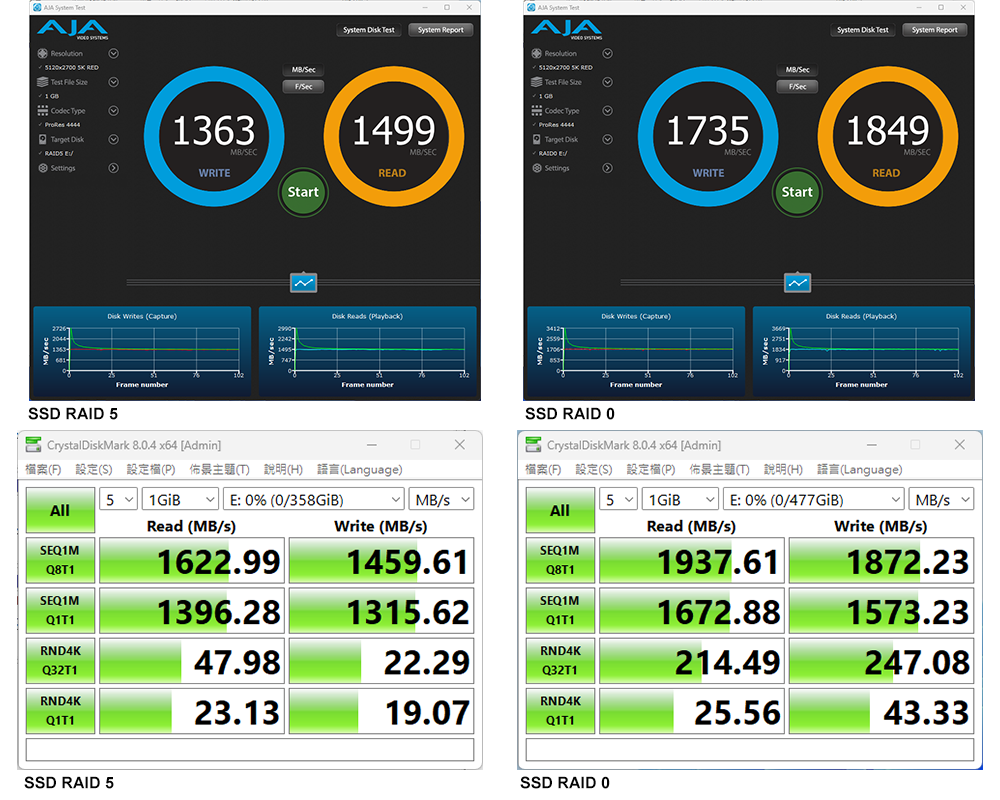
Performance test result for reference. The test result will vary depend on the test environment.
Note: The test was using a separate USB-C to USB-C cable with USB 20Gbps host.
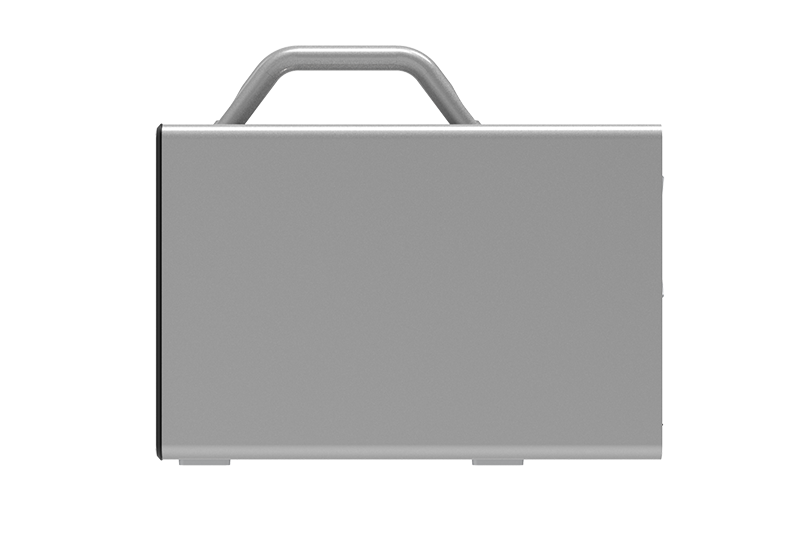
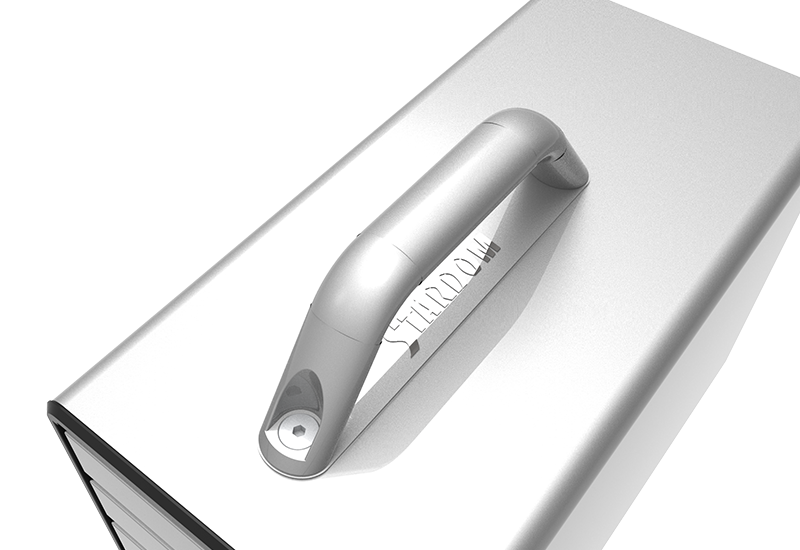
Product View

Specification
| Model No | SR4-BA32 |
|---|---|
| Host Compatibility | Systems with USB-C or USB-A host ports |
| Device Port | USB-C (USB 3.2 Gen 2x2) |
| Included Cables | 1 x USB-C to USB-A 1 x USB-C to USB-C |
| Maximum Host Link Rate | Up to 20Gbps with compatible USB 3.2 Gen 2x2 USB-C hosts |
| Supported Drives | 4 × 3.5" / 2.5" SATA III HDD/SSD |
| RAID Modes | RAID 0, RAID 5, BIG, JBOD |
| OS Support | Windows 7 or later, macOS 10.10 or later, Linux |
| Cooling | 80mm fan with High/Low speed switch |
| Chassis | Aluminum chassis with active cooling |
| Status / Alerts | Power, drive activity, drive failure, rebuild progress, overheat/fan failure LED, buzzer alerts |
| Power Input | Internal 150W (AC 100–240V, 50–60Hz) |
| Dimensions (H × W × D) | 166 × 124 × 210 mm |
| Certifications | CE / FCC |
| Packaging | 4 pcs per carton |
| Included Accessories | 1 x SR4-BA32 enclosure 1 x USB-C to USB-C cable 1 x USB-C to USB-A cable 1 x power cord 1 x accessory kit (drive screws and keys) 1 x quick installation guide |
Related Products
|
i310-B31+ |
ST2-B31 |
ST4-B31 |
|
|
|
|
| SR4-BA32 |  |
Easy Data Vault App for iOS GUI Software for Windows |











RaidonTek.com (stardom.com.tw) uses cookies to improve site functionality and your overall experience by storing necessary information for service delivery. By continuing, you consent to our use of cookies as detailed in our Privacy Policy, which provides more information about this usage. (Accept cookies to continue browsing the website)



.png)
.png)