
- About Us
- PRODUCTS
- SUPPORT
- Sales Guide
- LANGUAGE
 English-US
 Chinese Traditional
 Japanese
 Korean
 Russian
 German
 French
 Chinese Simplified
 Spanish
 Italian
UR2M-B32+
UR2M-B32+: USB 3.2 Gen 2x2 NVMe Hardware RAID Storage
20Gbps USB-C Performance • Hardware RAID Control • Instant OLED Status • Easy Data Vault iOS Backup
UR2M-B32+: USB 3.2 Gen 2x2 NVMe Hardware RAID Storage
20Gbps USB-C Performance • Hardware RAID Control • Instant OLED Status • Easy Data Vault iOS Backup

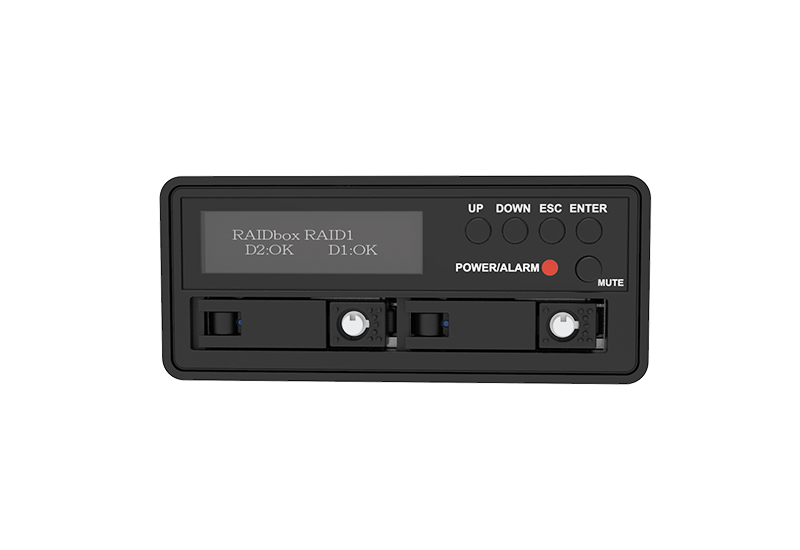
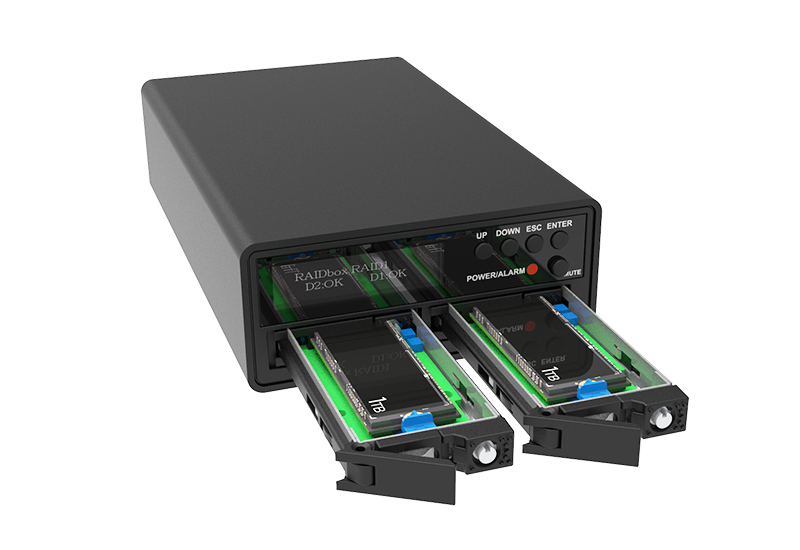
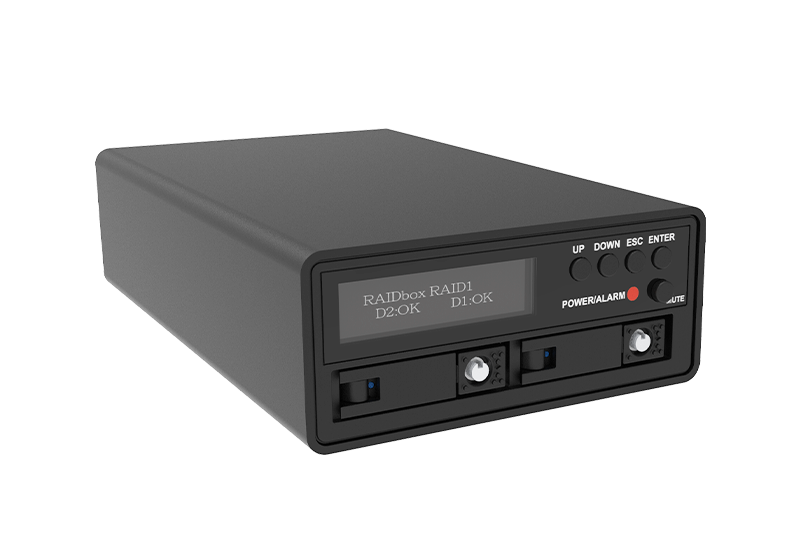
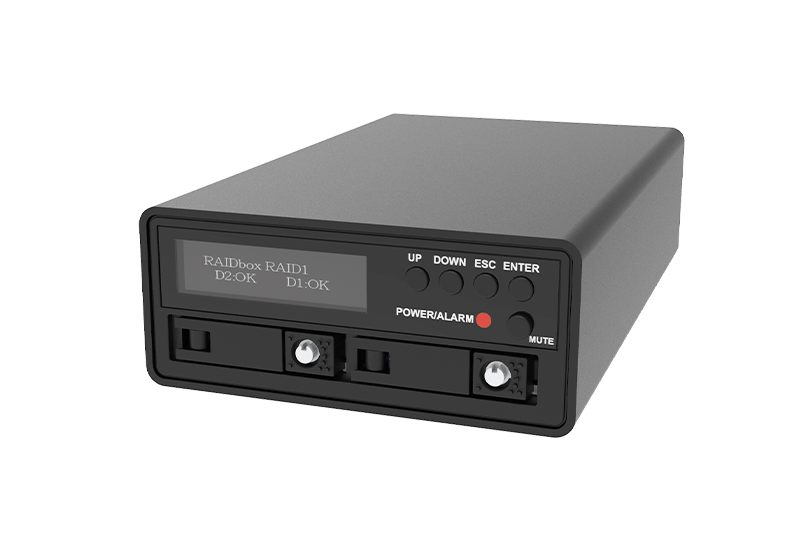
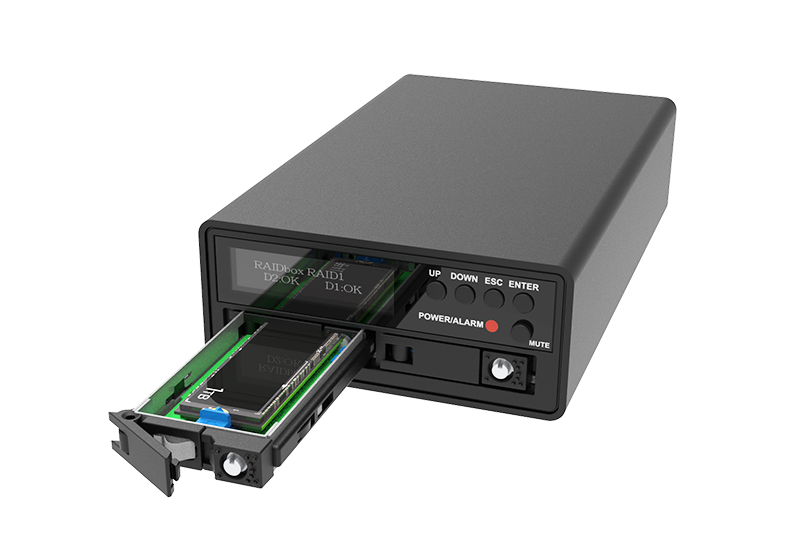
The UR2M-B32+ is a compact, professional dual-bay M.2 NVMe hardware RAID enclosure built for workflows that need fast transfers, flexible protection, and on-device visibility—without host software. A front OLED displays RAID mode, drive status, and rebuild progress in real time, while smart power detection and cooling safeguards help maintain stability during sustained workloads.
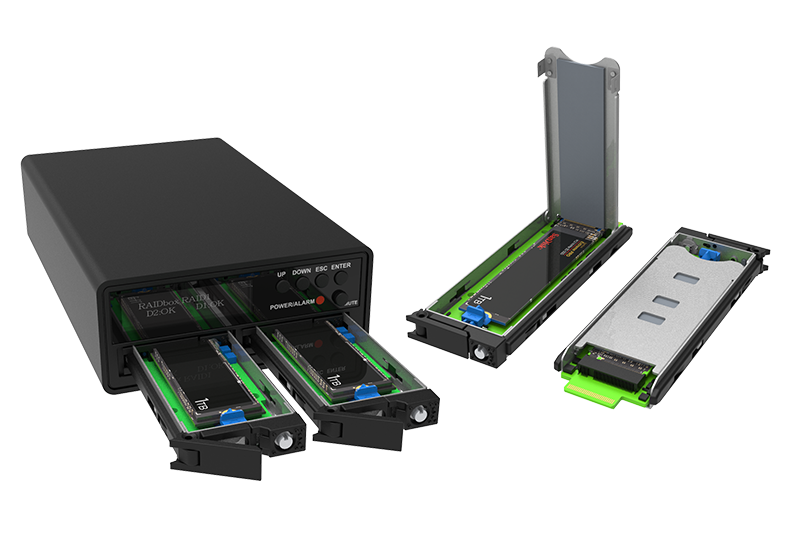
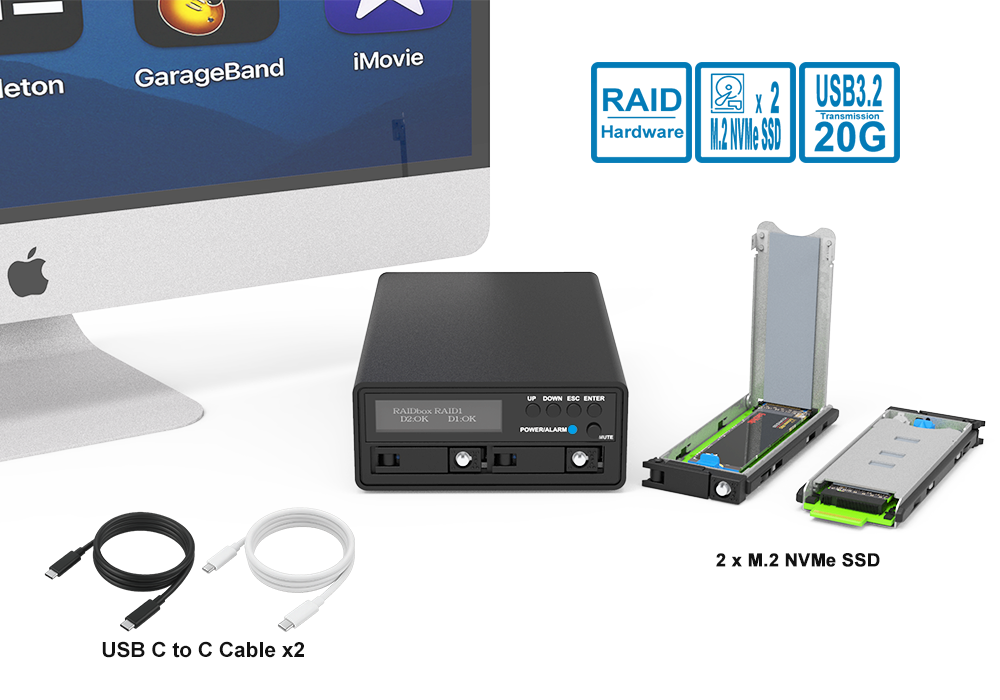
Using USB 3.2 Gen 2x2 (up to 20Gbps) over USB-C, it supports 2× M.2 NVMe SSDs (2230/2242/2260/2280) in tool-free removable trays. A dual USB-C cable design separates high-speed data from a dedicated PD 5V/3A power input, improving stability during heavy writes and long transfers. For mobile workflows, Easy Data Vault enables offline-first photo/video backup and restore on USB-C iPhone/iPad—no cloud required.
Features
1. Versatile Storage Architecture
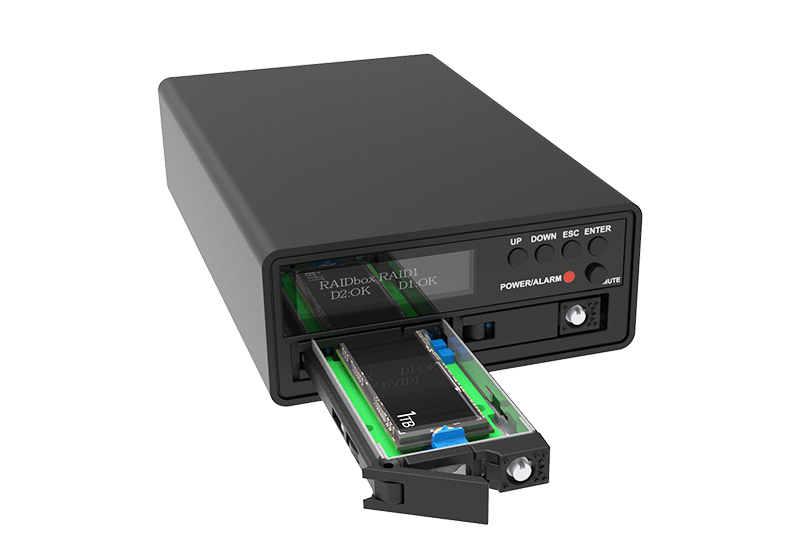
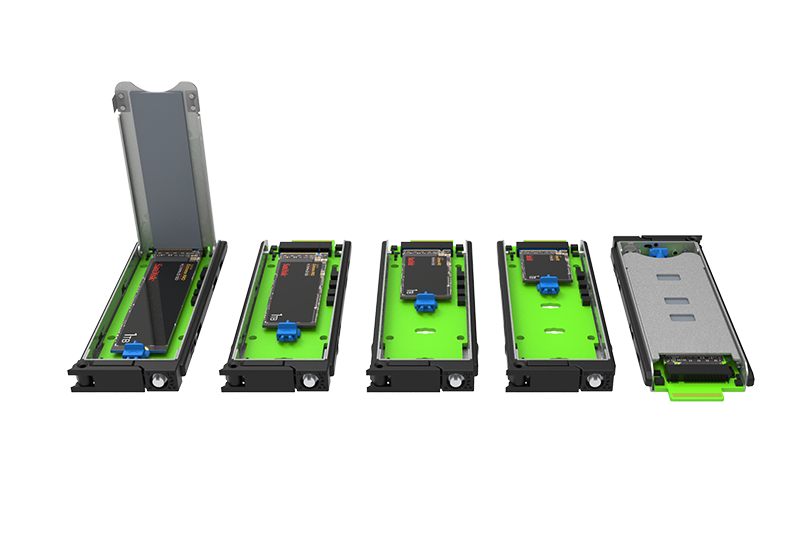
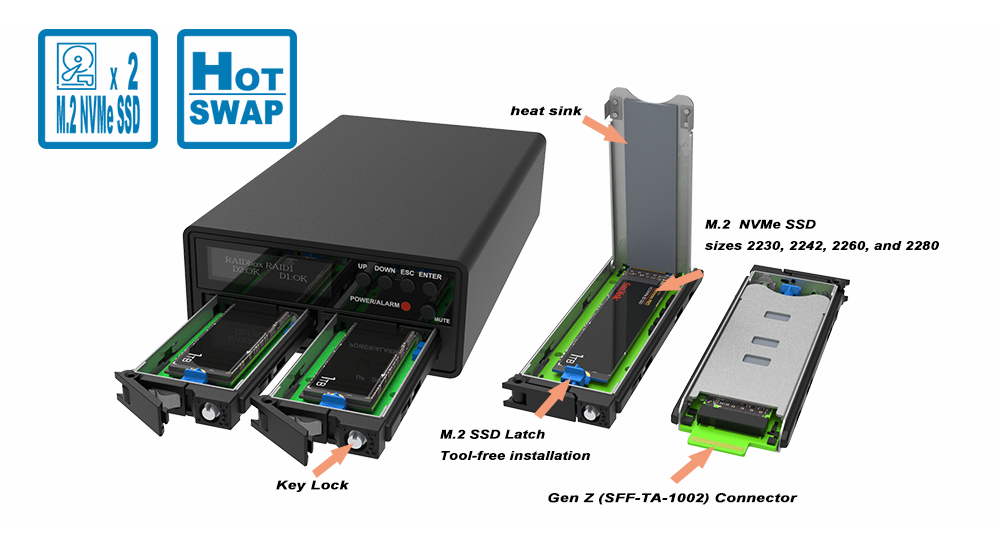
● Supports dual M.2 NVMe SSDs (sizes 2230, 2242, 2260, and 2280)
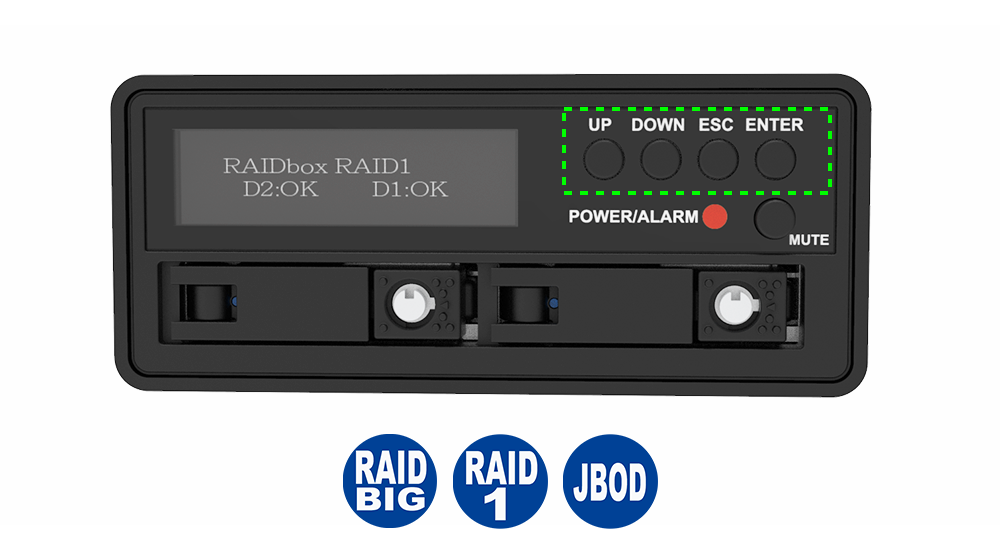
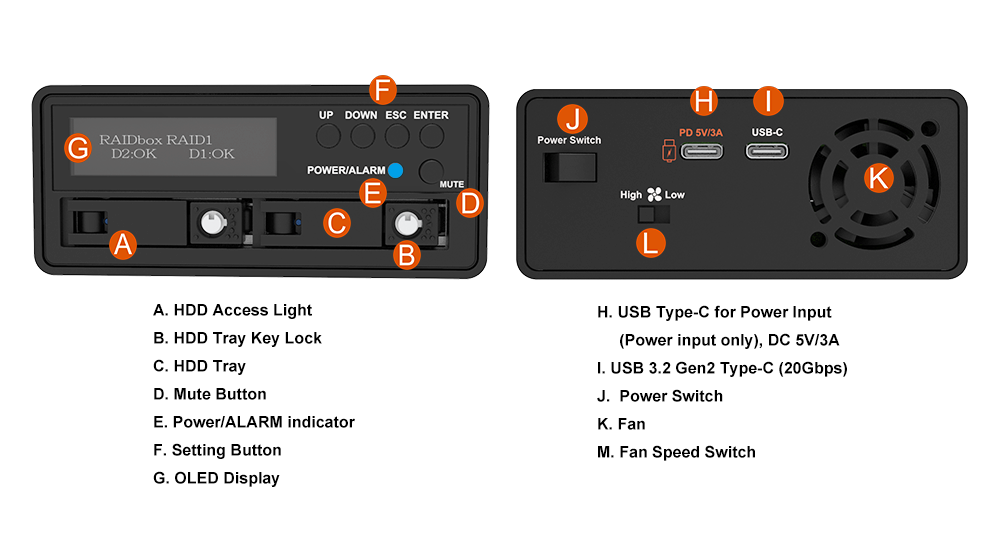
● Hardware RAID modes: RAID 1 (Safe) / JBOD (Independent) / BIG (Combined), with on-device OLED monitoring (no host utility required)
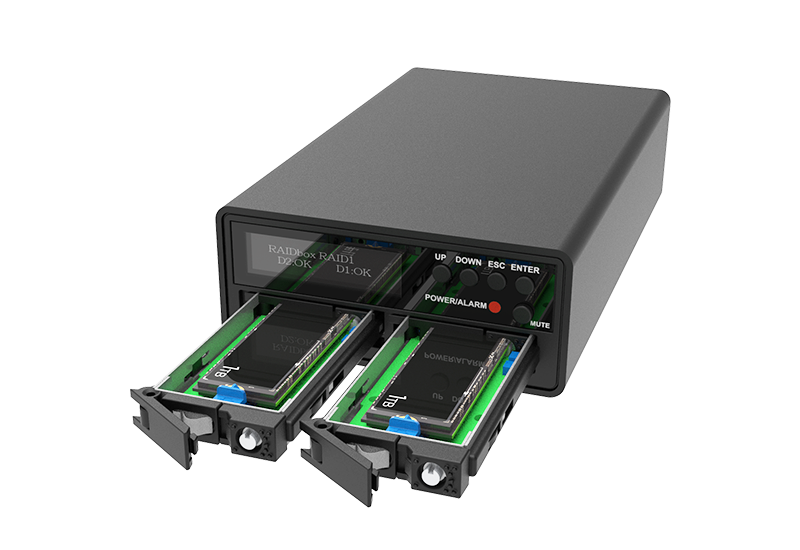
● Tool-free, removable M.2 trays for quick SSD replacement and minimal downtime
● Each drive features an individual key lock to enhance security and protection
Service note: Tool-free trays speed replacement. NVMe hot-plug behavior depends on platform support (BIOS/OS/topology).
2. Instant On-Device Visibility
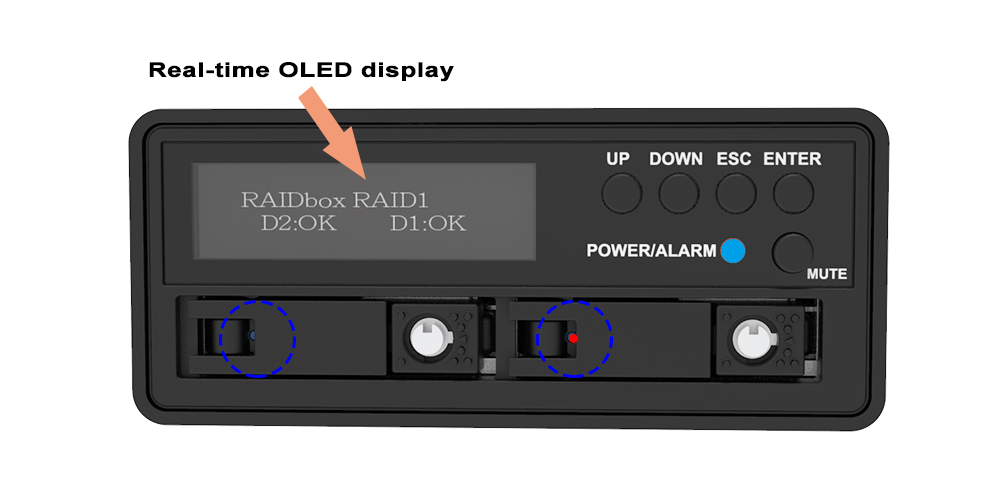
● Real-time OLED display shows RAID mode, drive state, and rebuild progress
● Clear LED status indicators for at-a-glance system/drive status
● Full RAID operation feedback without software or drivers
3. High-Speed USB-C Connectivity
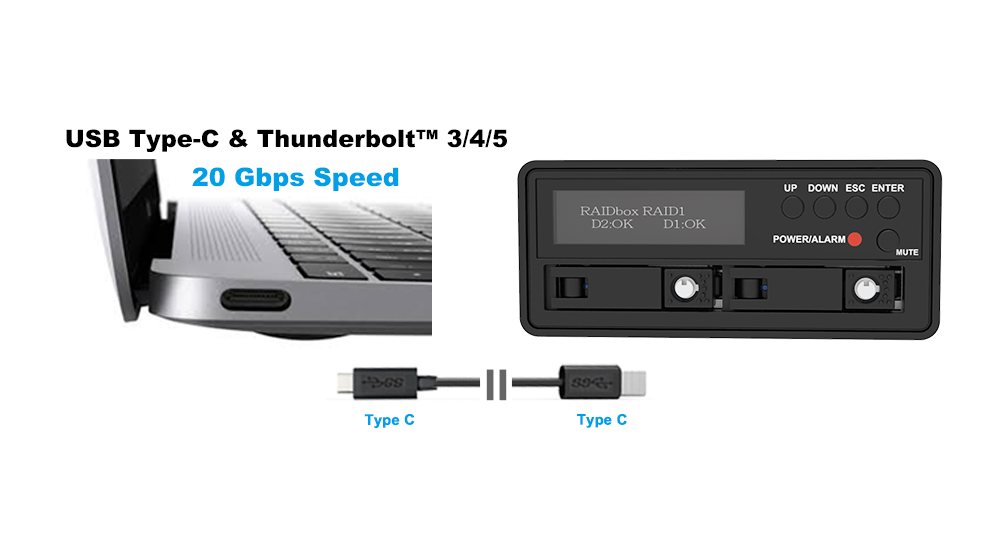
● USB 3.2 Gen 2x2 Type-C (up to 20Gbps) for high-throughput data transfer on supported hosts
● USB-C + Thunderbolt™ 3/4/5 (USB-C) compatibility for modern workstation and laptop setups
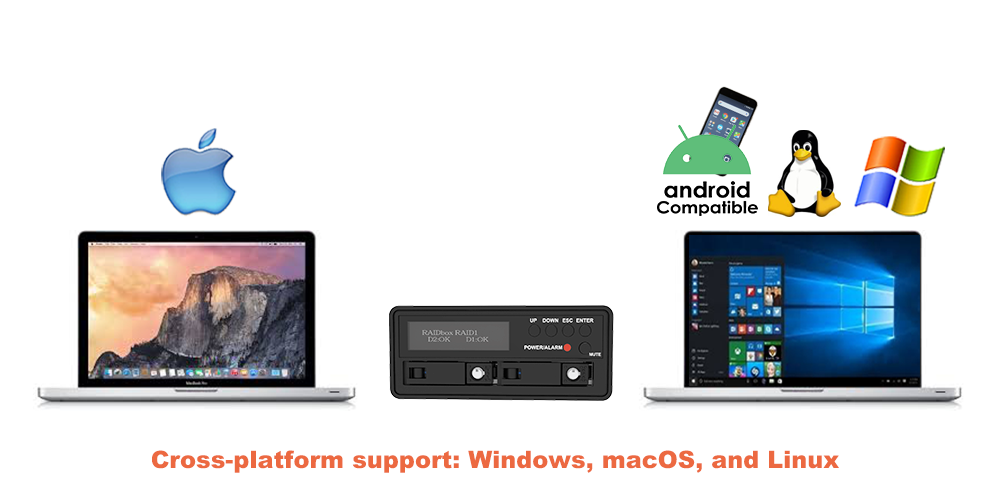
● Cross-platform support: Windows, macOS, and Linux
4. Intelligent Power & Startup Protection
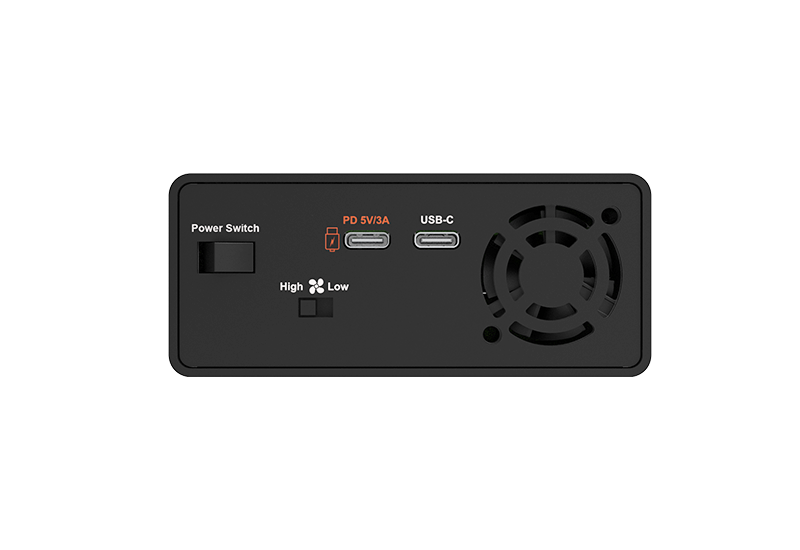
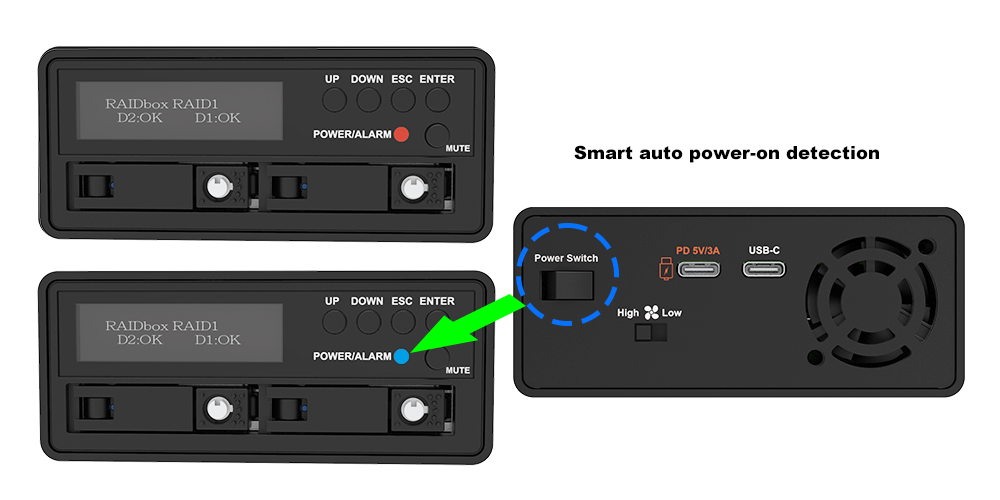
● Dedicated USB-C PD 5V/3A power input (separate from the data path) to improve stability under load
● Smart auto power-on detection: powers on only when sufficient external power is available
● Power status LED indicator: Blue = adequate power / Red = insufficient power
5. Thermal System for Sustained Workloads
● Durable aluminum chassis designed to withstand use and help dissipate heat efficiently
● 30 mm low-noise fan with manual adjustment to balance cooling and acoustics
● Integrated buzzer and red LED warnings for overheating or fan failure
6. Software & iOS Workflow Support
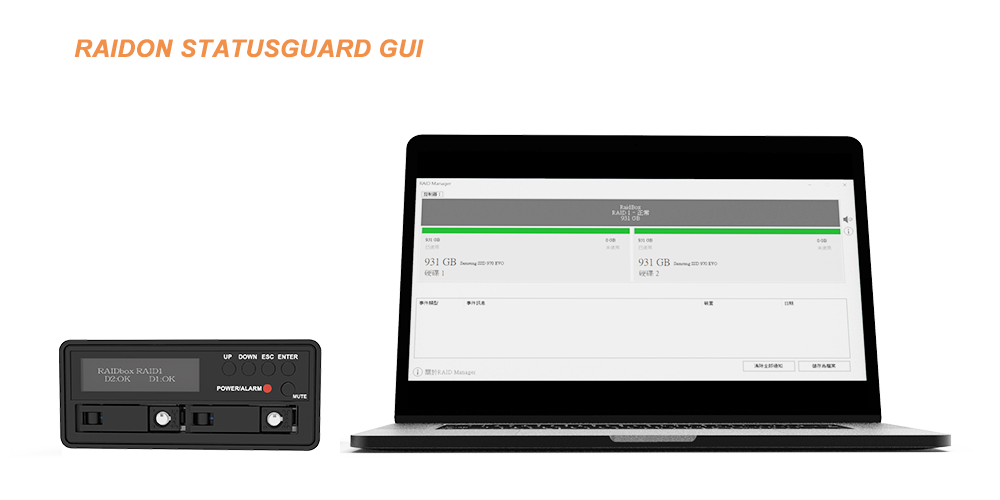
● RAIDON Status Guard (Windows only) for RAID and drive status monitoring
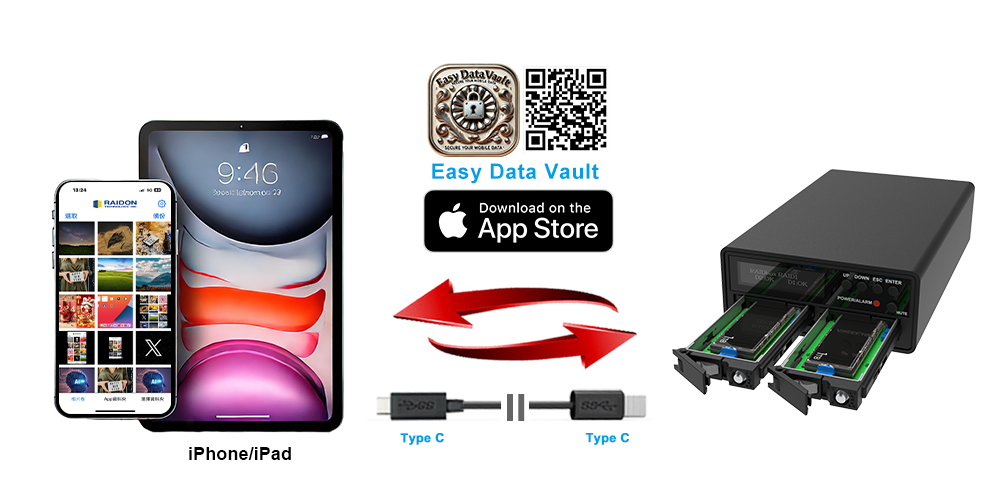
● Easy Data Vault (iOS/iPadOS) for offline photo/video backup, browsing, and restore to USB-C storage
● Works with iOS Files app (and other supported apps) for accessing content on external storage devices
Important Precautions
● Only power on when Power LED is Blue. If Red, power is insufficient—do not turn on.
● Use a quality PD adapter that can sustain 5V/3A. If disconnects/errors occur, replace the adapter.
● Do not share the PD output with other devices at the same time (voltage drop risk).
● The white USB-C cable is power-only (DC IN) and does not carry data.
● Changing RAID mode erases data. Back up before switching.
● Do not remove/replace drives while in BIG mode. (Recommend: power down before service in BIG.)
● macOS note: 20Gbps requires a USB 3.2 Gen 2x2 host. Many Macs negotiate USB storage at 10Gbps, so 20Gbps devices may run at 10Gbps depending on the model/port—verify your Mac’s USB data-rate support.
Why choose the UR2M-B32+?
|
Key Feature |
Why UR2M-B32+ Excels |
Buying Tip |
|---|---|---|
|
20Gbps-class USB-C |
Fast ingest/shuttle on Gen 2x2 hosts |
For top speed, confirm USB 20Gbps (Gen 2x2) support on the host + cable |
|
Hardware RAID options |
RAID 1 / JBOD / BIG without host software |
Choose mode by workflow: protection / separation / capacity |
|
Fast serviceability |
Tool-free removable trays reduce downtime |
Use matched SSDs for RAID 1 consistency |
|
Physical security |
Key-locked trays help prevent removal |
Keep trays locked during transport/shared environments |
|
OLED visibility |
On-device RAID status + rebuild progress |
Choose “+” specifically for OLED control + visibility |
|
Stable power design |
Dedicated 5V/3A input improves heavy-write stability |
Use a dedicated PD output (no sharing) |
Applications
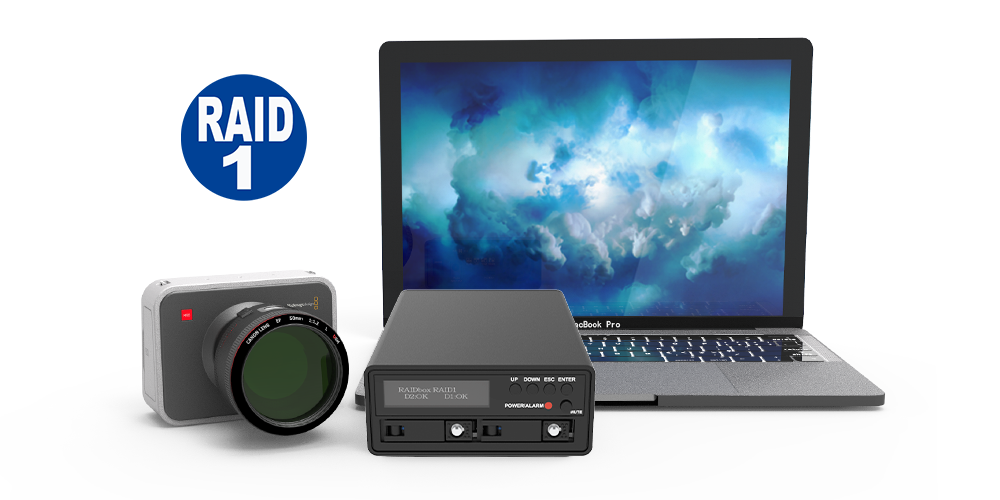
● Content creation / post-production: fast offload + RAID 1 protection for critical footage.
● iPhone ProRes workflows: Apple supports recording ProRes to external USB-C storage on iPhone 15 Pro / 16 Pro / 17 Pro models (exFAT, USB 3 cable ≥10Gb/s); drive performance requirements vary by format and frame rate.
● Engineering / IT: portable, high-speed project volume options (JBOD) or mirrored protection (RAID 1).
● Research / medical imaging / field work: compact, cooled enclosure designed for sustained operation.
Frequently Asked Questions (FAQ)
Q1: What are the differences between UR2M-B32+ and other UR2 series models?
|
Feature |
UR2M-B32+ |
UR2M-B32 |
UR2-B32 |
|
Compatible drive |
2 x M.2 NVMe SSD (2230/2242/2260/2280) |
2 x M.2 NVMe SSD (2230/2242/2260/2280) |
2 x M.2 NVMe SSD (2242/2260/2280) |
|
Power Input |
2× USB-C cables |
2× USB-C cables |
2× USB-C cables |
|
OLED Display |
v |
x |
x |
|
RAID Modes |
RAID 1, JBOD, BIG |
RAID 1, JBOD, BIG |
RAID 1, JBOD, BIG |
|
RAID Switching |
From OLED Display |
From RAID mode switch |
From RAID mode switch |
|
Hot-Swappable M.2 Trays |
Yes |
Yes |
Yes |
|
Tray with Key-Lock |
v |
v |
x |
|
Cooling System |
Adjustable low-noise fan |
Adjustable low-noise fan |
Adjustable low-noise fan |
|
Mobile App & Advanced GUI |
Enhanced GUI & iOS App |
Enhanced GUI & iOS App |
Enhanced GUI & iOS App |
Q2: Which SSDs are supported?
A: M.2 NVMe only (2230/2242/2260/2280). M.2 SATA is not supported.
Q3: What RAID modes are supported?
A: RAID 1 / JBOD / BIG.
Q4: Will I always get 20Gbps on Mac?
A: Not always. Many Macs negotiate USB storage at 10Gbps; performance depends on the specific port/controller.
Q5: What power adapter should I use?
A: A PD adapter that can sustain 5V/3A (15W), connected to DC IN using the white (power-only) USB-C cable.
Q6: Can I hot-plug NVMe drives?
A: The trays are tool-free and removable, but NVMe hot-plug requires platform support (BIOS/OS/topology). When in doubt, power down before replacing drives.
Performance test result for reference. The test result will vary depend on the test environment.

Product View
Specification
| Model No | UR2M-B32+ |
|---|---|
| Interfaces | USB 3.2 Gen 2x2 Type-C (up to 20Gbps) |
| Supported Drives | 2 x M.2 NVMe SSD (2230/2242/2260/2280) |
| Connectivity Compatibility | USB-C for PC and Mac |
| Certification | CE / FCC |
| RAID Modes | BIG Mode JBOD - Independent Mode RAID 1 - Safe Mode |
| Operating System Support | Windows 7 or later, macOS 10.10 or later, Linux |
| Cooling System | 30mm Low noise fan Aluminum chassis with active cooling |
| Monitoring & protection | Real-Time OLED Monitoring Overheat / fan failure LED + buzzer alerts Intelligent power-stabilization logic |
| Power Input | USB-C PD 5V/3A (via white Type-C port) Dedicated power input (not for data) |
| Dimensions | Height: 41 mm Width: 97 mm Depth: 155.3 mm |
| packaging | 10 pcs per carton |
| Included Accessories | * 1 x UR2M-B32+ * 1 x USB 3.2 Type-C to Type C Cable (Black) * 1 x Type C to Type C Cable (White, Power only) * Tray Unlock Keys * Quick Installation Guide |
Related Products
|
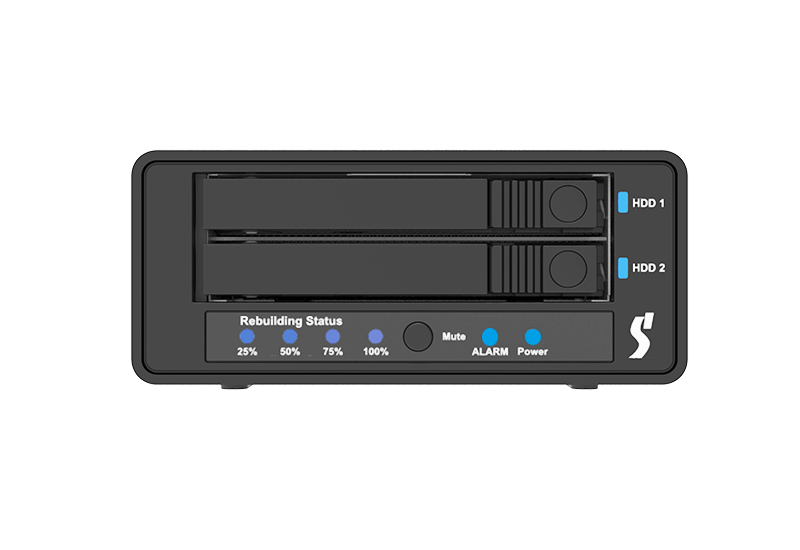
UR2M-B32 |
UR2-B32 |
.png) |
 |
| UR2M-B32+ |  |
GUI Software for Windows Easy Data Vault App for iOS |











RaidonTek.com (stardom.com.tw) uses cookies to improve site functionality and your overall experience by storing necessary information for service delivery. By continuing, you consent to our use of cookies as detailed in our Privacy Policy, which provides more information about this usage. (Accept cookies to continue browsing the website)