
- About Us
- PRODUCTS
- SUPPORT
- Sales Guide
- LANGUAGE
 English-US
 Chinese Traditional
 Japanese
 Korean
 Russian
 German
 French
 Chinese Simplified
 Spanish
 Italian
SR4-B32+
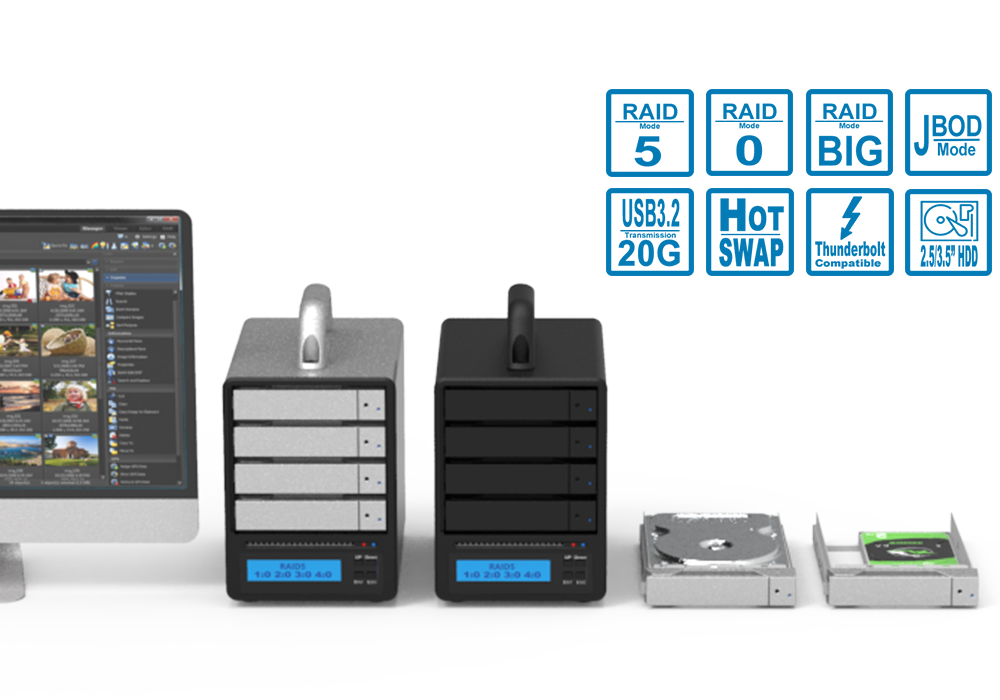
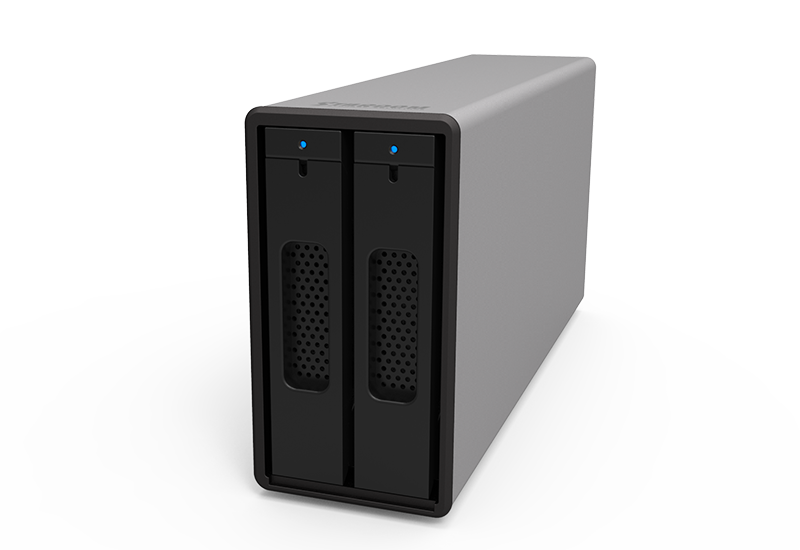
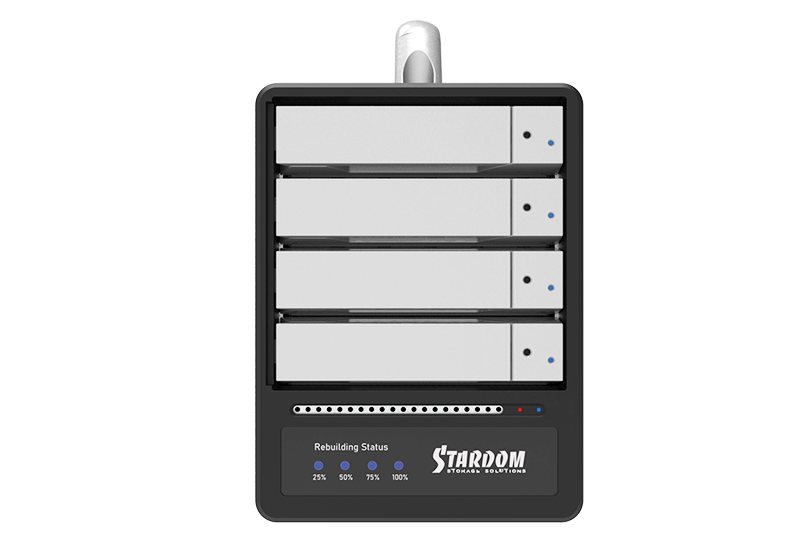
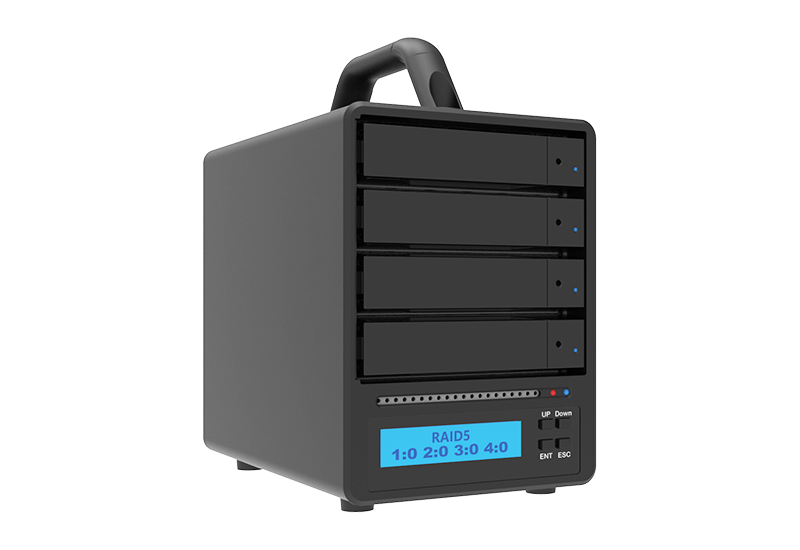
The SR4-B32+ is a 4-bay hardware RAID storage system designed for professional storage, backup, and media workflows requiring data protection, high-bandwidth USB-C connectivity, and direct RAID management.
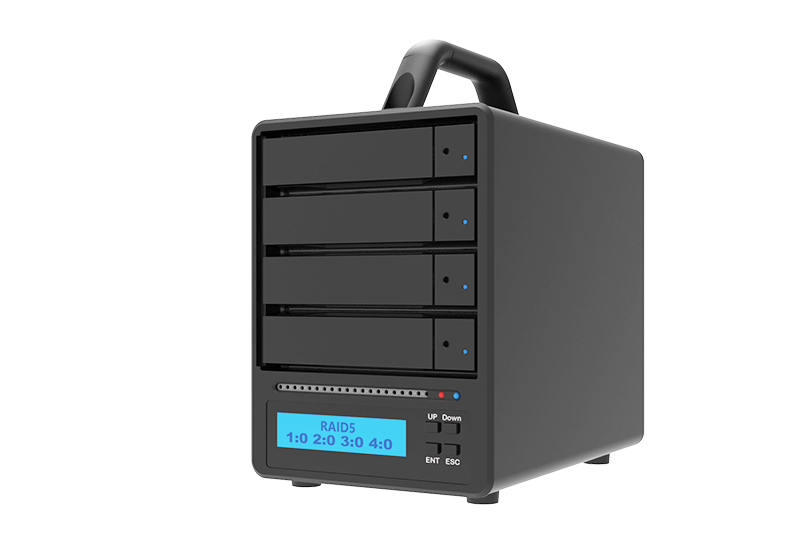
Building on the SR4-B32 platform, the SR4-B32+ adds a built-in LCM display and setup controls, allowing users to view RAID status, drive information, temperature, fan speed, and rebuild status directly on the enclosure. RAID configurations can also be created or deleted without relying on host management software.
A dedicated hardware RAID controller supports RAID 0, RAID 5, BIG, and JBOD, while USB 3.2 Gen 2x2 provides connectivity up to 20Gbps.
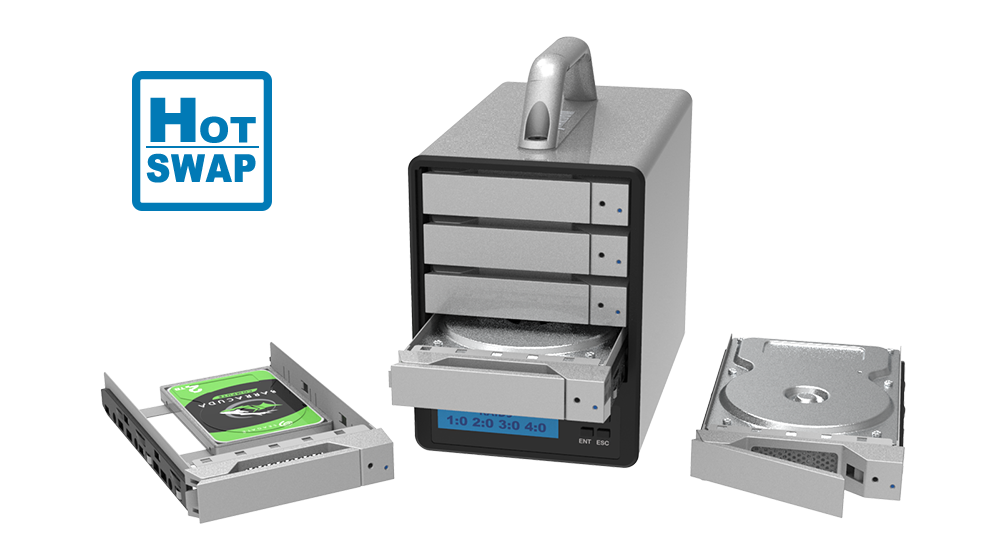
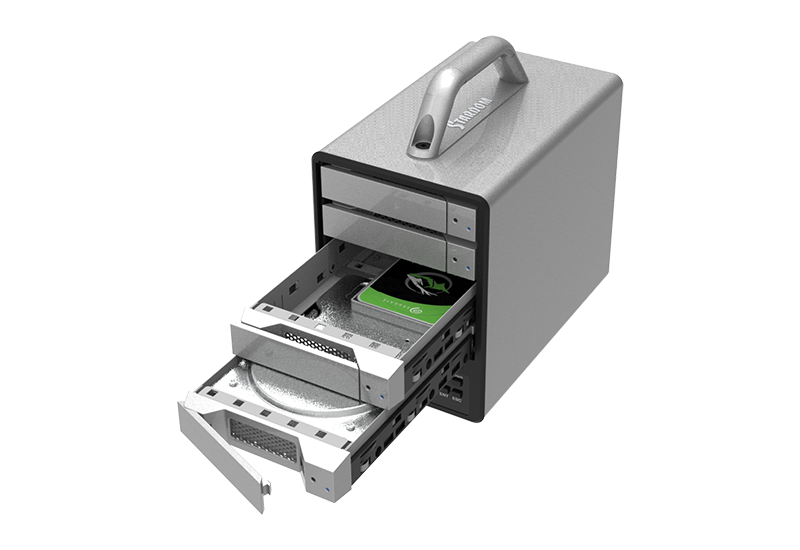
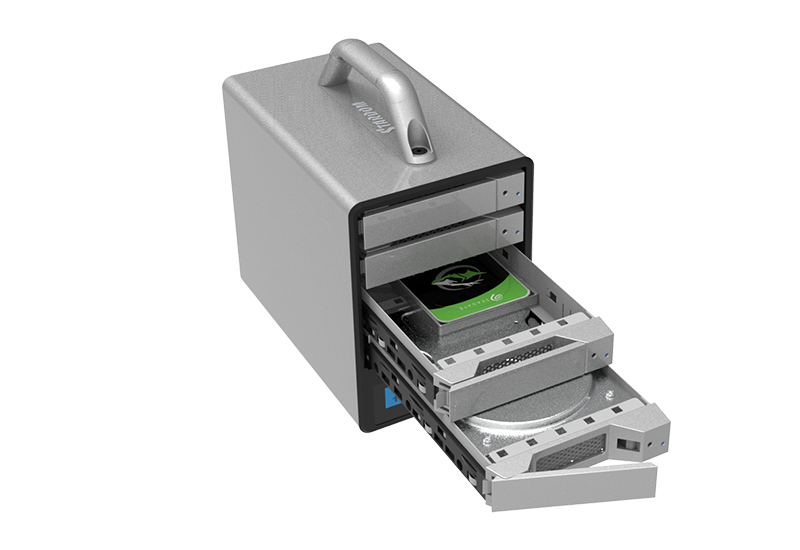
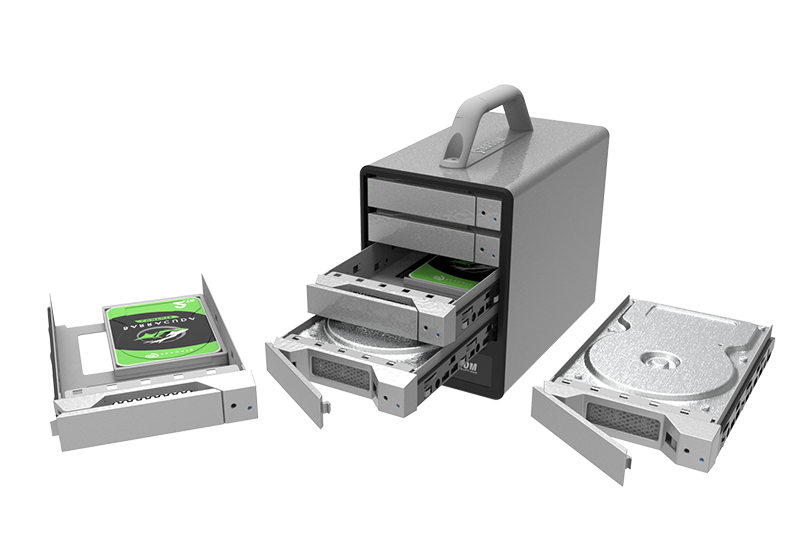
The SR4-B32+ also features four lockable hot-swappable drive trays, an internal 150W power supply, active cooling, status LEDs, and audible system alerts for easier professional operation and maintenance.
● Direct RAID Control
View system status and manage RAID configurations directly on the enclosure through the built-in LCM display and setup controls.
● Hardware RAID 5 Protection
A dedicated hardware RAID controller provides RAID 5 protection against a single drive failure without relying on the host CPU.
● USB-C up to 20Gbps
USB 3.2 Gen 2x2 provides bandwidth up to 20Gbps while remaining compatible with USB 10Gbps and 5Gbps hosts.
● Professional System Monitoring
The LCM display, drive LEDs, warning indicators, buzzer alerts, and Windows GUI provide multiple ways to monitor RAID and system status.
● Easy Drive Maintenance
Four lockable hot-swappable trays simplify drive installation, replacement, and maintenance.
SR4-B32+
● Professional Hardware RAID. Now with Direct Control.
● Four Drives. Hardware RAID 5. One USB-C Connection.
● See the status and manage the RAID directly on the enclosure.
1. USB-C Performance & Drive Support
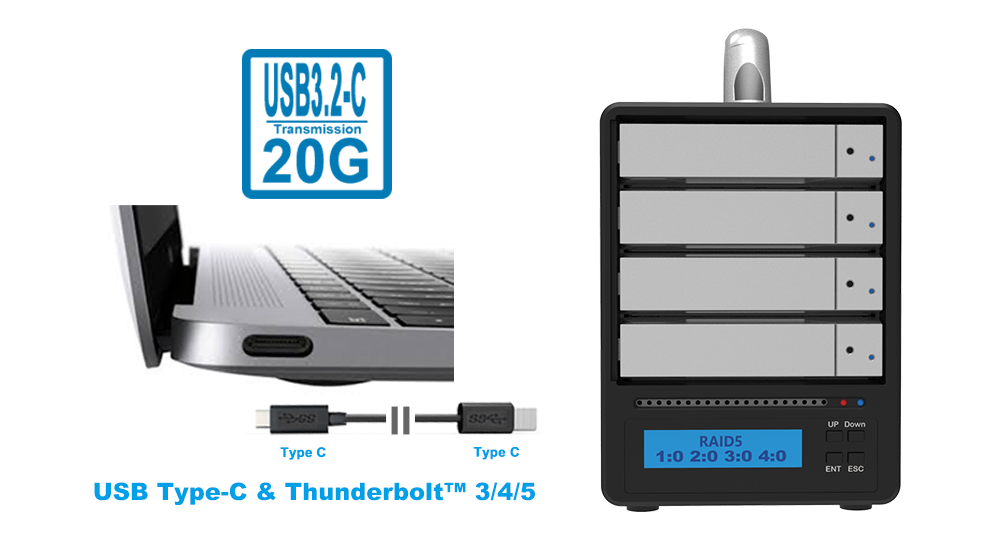
● USB 3.2 Gen 2x2 Type-C, up to 20Gbps
● Compatible with USB 10Gbps and 5Gbps hosts
● Connects to compatible Thunderbolt™ 3/4/5 USB-C ports as a USB storage device
● Supports 4 × SATA III 6Gb/s drives
● Supports 3.5-inch HDDs and 2.5-inch HDDs/SSDs
● Lockable front-access hot-swappable trays
Actual transfer performance depends on the host connection, installed drives, RAID mode, file system, and workload.
2. Hardware RAID & Data Protection
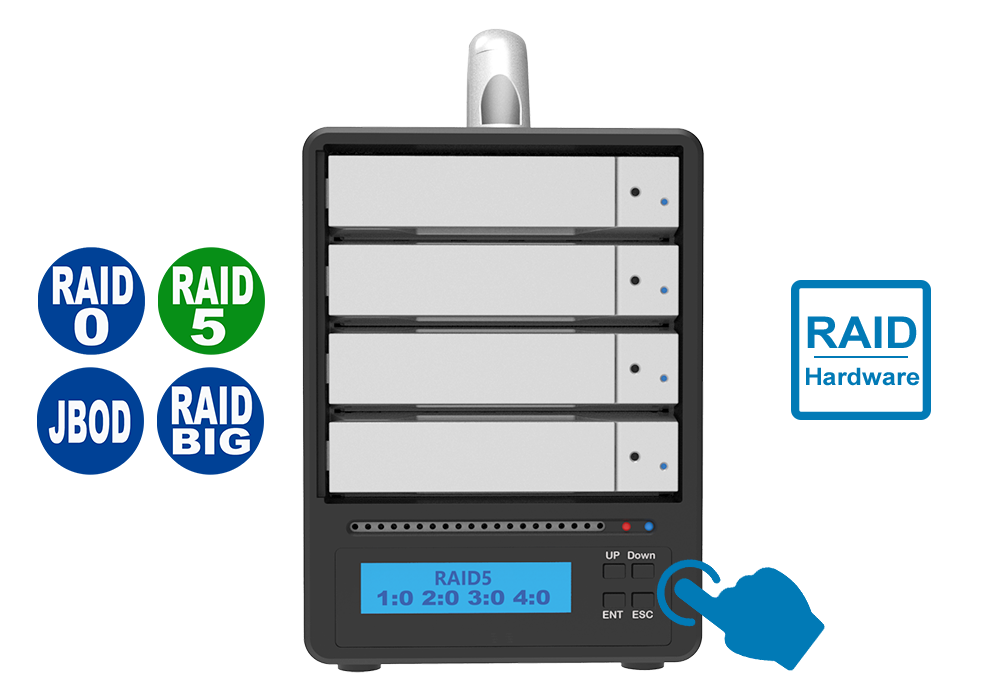
The SR4-B32+ supports four hardware RAID modes for different professional storage requirements.
● RAID 0
Maximum performance and usable capacity for high-speed working storage.
● RAID 5
Balances performance, capacity, and protection against a single drive failure.
● BIG
Combines multiple drives into one large logical storage volume.
● JBOD
Provides individual drive access for workflows requiring separate storage volumes.
RAID 5 provides protection against a single drive failure but does not replace a separate backup.
3. LCM Display & On-Device Management
More Visibility. More Control.
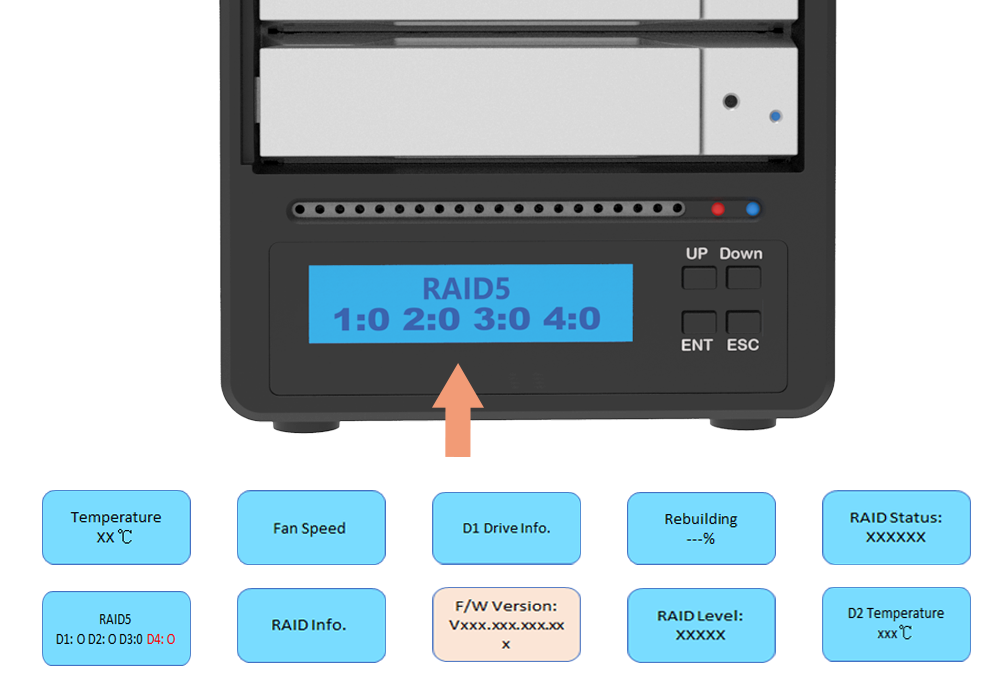
The built-in LCM display gives users direct access to important RAID and system information without depending solely on host software.
LCM Functions
● View RAID status
● Create RAID configurations
● Delete RAID configurations
● View drive capacity
● View drive temperature
● View supported SSD power-on count
● View supported SSD power-on hours
● Monitor system temperature
● Monitor fan speed
● Monitor RAID rebuild status
During read/write activity or RAID rebuilding, drive information may be limited to capacity.
If “XXX” appears for an information item, the installed drive does not support that information.
LCM Firmware Update Support
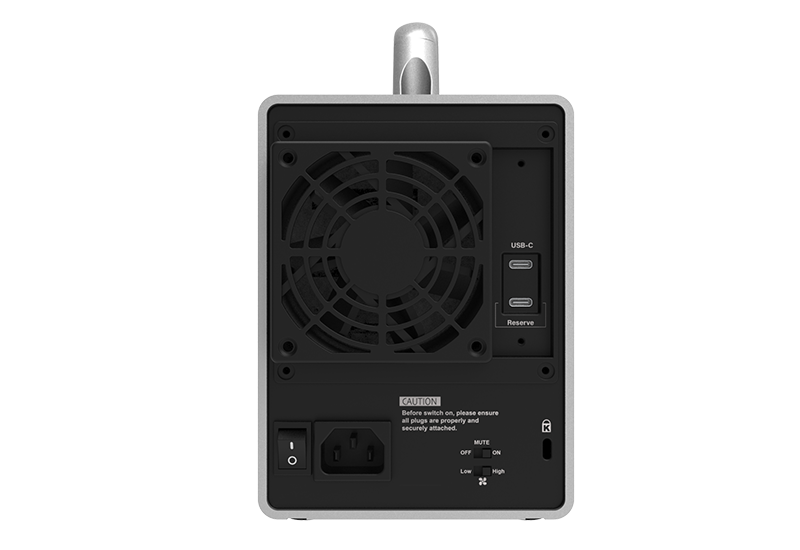
The LCM control firmware can be updated through a dedicated USB-C service port separate from the main storage connection, supporting system maintenance and future firmware updates.
4. Multi-Layer System Monitoring
The SR4-B32+ provides multiple ways to monitor system operation:
● Built-in LCM display
● Drive activity and failure LEDs
● RAID rebuild status through the LCM
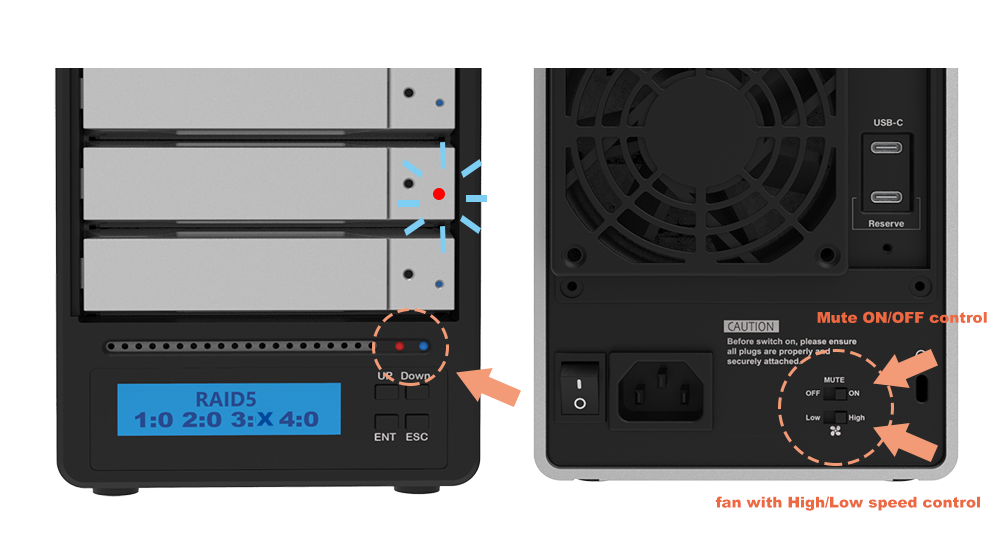
● Warning LED for system alerts
● Audible buzzer for overheating and fan failure
● Physical buzzer Mute ON/OFF control
● Windows management GUI for RAID status, alerts, and rebuild monitoring
● 80mm cooling fan with High/Low speed control
5. Cross-Platform Storage
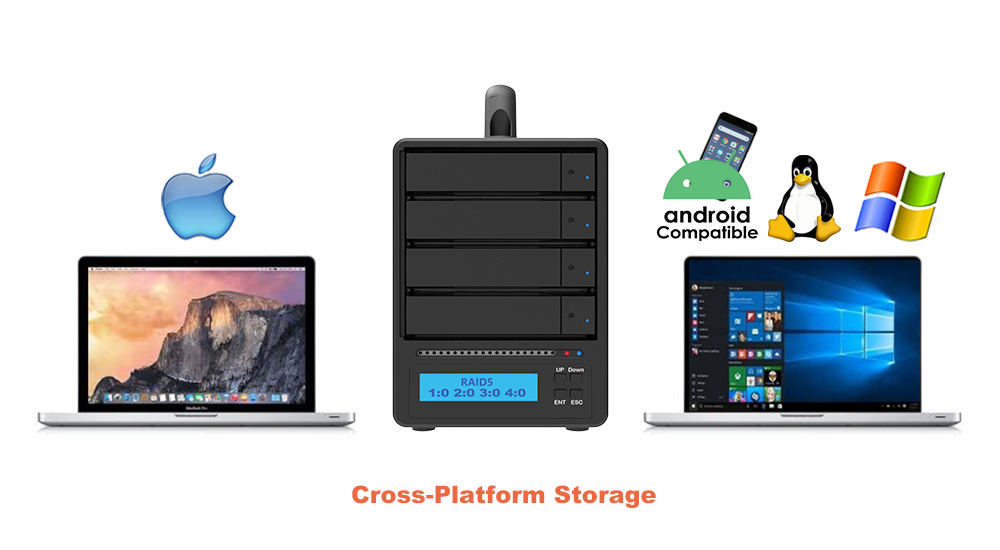
The SR4-B32+ supports storage access with:
● Windows
● macOS
● Linux
The Windows management GUI provides additional monitoring, while the built-in LCM allows essential RAID and system information to be accessed directly from the enclosure.
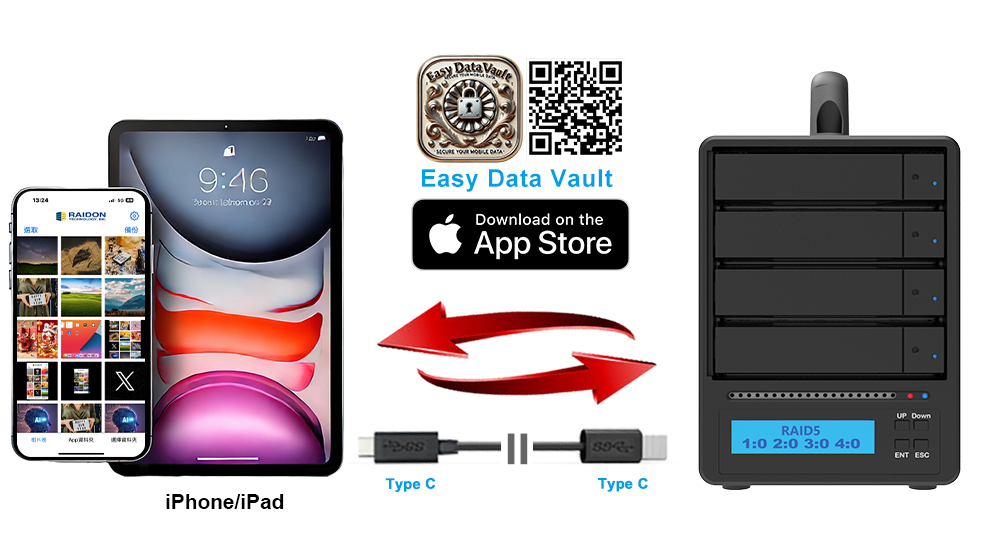
The SR4-B32+ can also connect to compatible USB-C iPhone and iPad devices through the Easy Data Vault App for supported mobile backup and restore workflows.
Professional storage often moves between systems, users, and locations.
The SR4-B32+ combines hardware RAID protection with direct enclosure-based monitoring, allowing users to check storage status without first opening a software utility.
Whether used in a studio, workstation environment, laboratory, or mobile production workflow, essential RAID information remains visible directly on the storage system.
One Enclosure. Four Drives. Hardware RAID. Direct Control.
1. DIT Ingest & Studio Handoff
Ingest footage on location and move the SR4-B32+ to the studio for editing, backup, or project handoff.
The LCM allows operators to check RAID and drive status directly before moving between systems.
2. Mac & PC Project Storage
Move project data between compatible Mac and Windows systems using one RAID enclosure.
The built-in LCM provides direct system information regardless of which supported host computer is connected.
Use a file system supported by both operating systems when sharing the same volume.
3. Transportable RAID 5 Storage
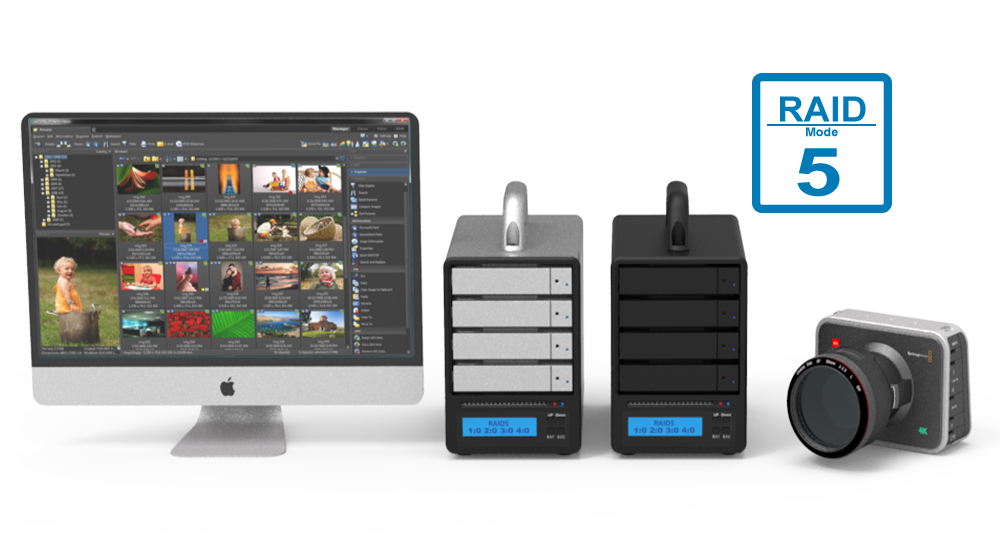
Move large datasets between studios, offices, laboratories, or production locations while RAID 5 provides protection against a single drive failure.
If one drive fails, the RAID array can remain accessible in degraded mode until the failed drive is replaced and rebuilt.
4. 4K / 8K Video Post-Production
Use the SR4-B32+ for:
● Video editing
● Rendering
● Proxy generation
● Media management
● Project storage
● Local backup
USB-C bandwidth up to 20Gbps and selectable RAID modes allow users to balance performance, capacity, and protection for different workflows.
5. Scientific Research & Analysis
Capture data on one workstation and move the enclosure to another compatible system for analysis.
The LCM provides direct drive and system information, while RAID 5 helps maintain data availability following a single drive failure.
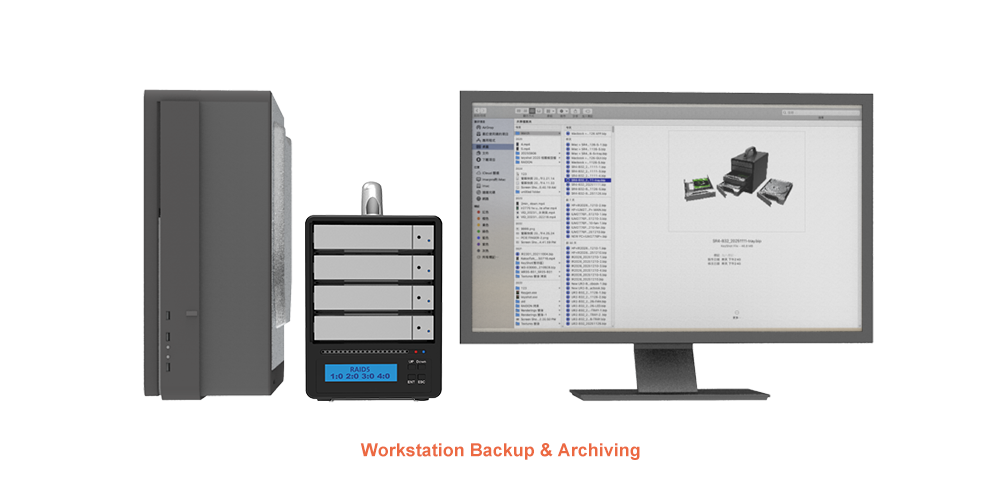
6. Workstation Backup & Archiving
Use the SR4-B32+ as a local destination for workstation backups, project archives, and media libraries.
RAID 5 provides drive-failure protection, while the LCM, LEDs, and alert system simplify ongoing storage monitoring.
Both models share the same core 4-bay USB-C hardware RAID platform.
The SR4-B32+ adds an LCM-based management interface for users who want greater system visibility and more direct RAID control.
|
Feature |
SR4-B32 |
SR4-B32+ |
|
USB Interface |
Up to 20Gbps |
Up to 20Gbps |
|
RAID Modes |
RAID 0 / 5 / BIG / JBOD |
RAID 0 / 5 / BIG / JBOD |
|
Hardware RAID |
Yes |
Yes |
|
Drive Bays |
4 × SATA |
4 × SATA |
|
Hot-Swappable Trays |
Yes |
Yes |
|
Windows GUI |
Yes |
Yes |
|
LED Monitoring |
Yes |
Yes |
|
LCM Display |
— |
Yes |
|
On-Device Information |
LED indicators |
LCM + LED indicators |
|
RAID Configuration |
Physical controls |
LCM display + setup controls |
|
Positioning |
Standard |
Managed |
|
Best For |
Professional RAID storage |
Users requiring direct RAID monitoring and control |
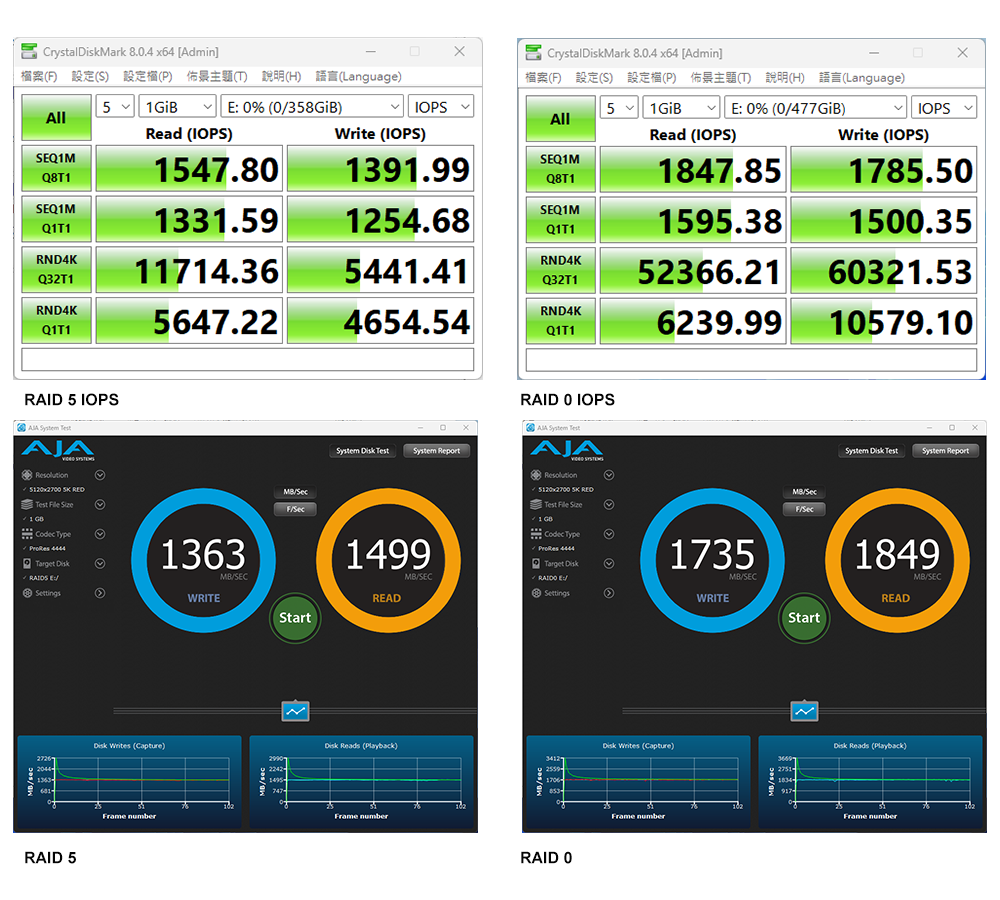
Performance test results are for reference only. Actual performance may vary depending on the test environment
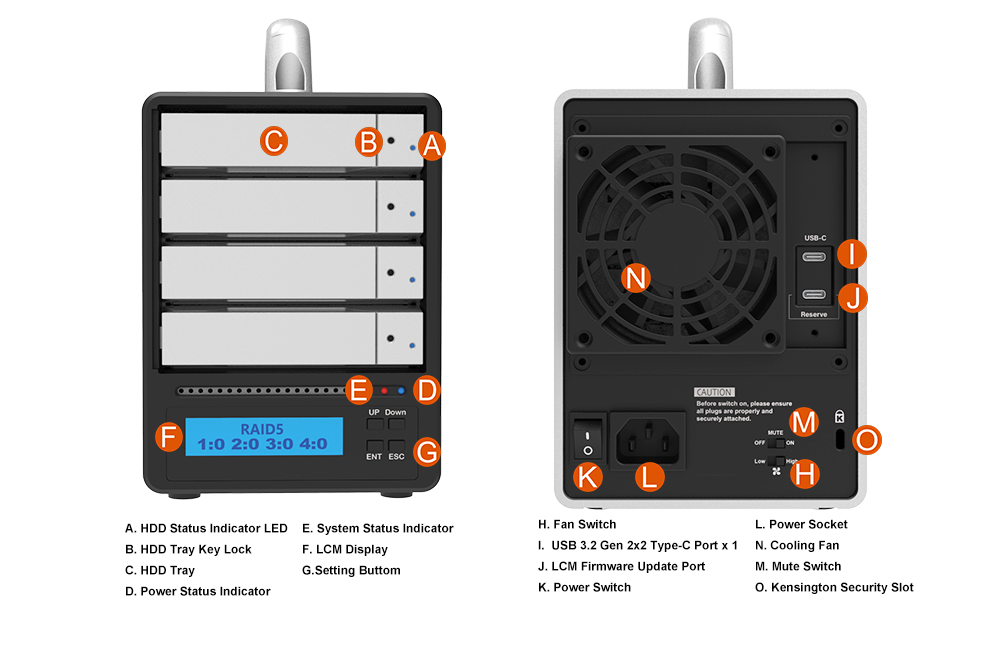
Product View
Specification
| Model No | SR4-B32+ |
|---|---|
| Product Type | 4-Bay USB-C Hardware RAID Storage with Direct RAID Control |
| Interfaces | USB 3.2 Gen 2x2 Type-C, up to 20Gbps |
| Supported Drives | 4 × 3.5-inch / 2.5-inch SATA III HDD/SSD |
| RAID Modes | RAID 0 / RAID 5 / BIG / JBOD |
| RAID Controller | Hardware RAID |
| LCM | RAID configuration, system status, drive information, temperature, fan speed, and rebuild monitoring |
| LCM Firmware Update | Supported via dedicated USB-C service port |
| Drive Trays | Lockable hot-swappable trays |
| Connectivity | USB-C PC and Mac; compatible Thunderbolt™ 3/4/5 USB-C ports as a USB storage device |
| Operating Systems | Windows 7 or later / macOS 10.10 or later / Linux |
| Windows Management | RAID status, alerts, and rebuild monitoring |
| Cooling | 80mm fan with High/Low speed switch |
| System Alerts | Warning LED and buzzer for overheating and fan failure |
| Power Supply | Internal 150W, AC 100–240V, 50–60Hz |
| Certifications | CE / FCC / RoHS |
| Dimensions | 210 × 124 × 166 mm (L × W × H) |
| Weight | 3.4 kg per unit with packaging, excluding drives |
| Mobile Support | Easy Data Vault for compatible USB-C iPhone and iPad devices |
| Included Accessories | • 1x USB 3.2 Gen 2x2 Type-C to Type-C Cable • 1x Power Cord • 1x Accessory Kit (Drive Screws, Keys) • 1x Quick Installation Guide |
Related Products
|
i310-B31+ |
ST2-B31 |
SR4-B32 |
|
|
|
|
| SR4-B32+ |  |
GUI Software for Windows Easy Data Vault App for iOS |










RaidonTek.com (stardom.com.tw) uses cookies to improve site functionality and your overall experience by storing necessary information for service delivery. By continuing, you consent to our use of cookies as detailed in our Privacy Policy, which provides more information about this usage. (Accept cookies to continue browsing the website)
.png)